Optimizing Operational Visibility
Unified Platform for Factory Insights
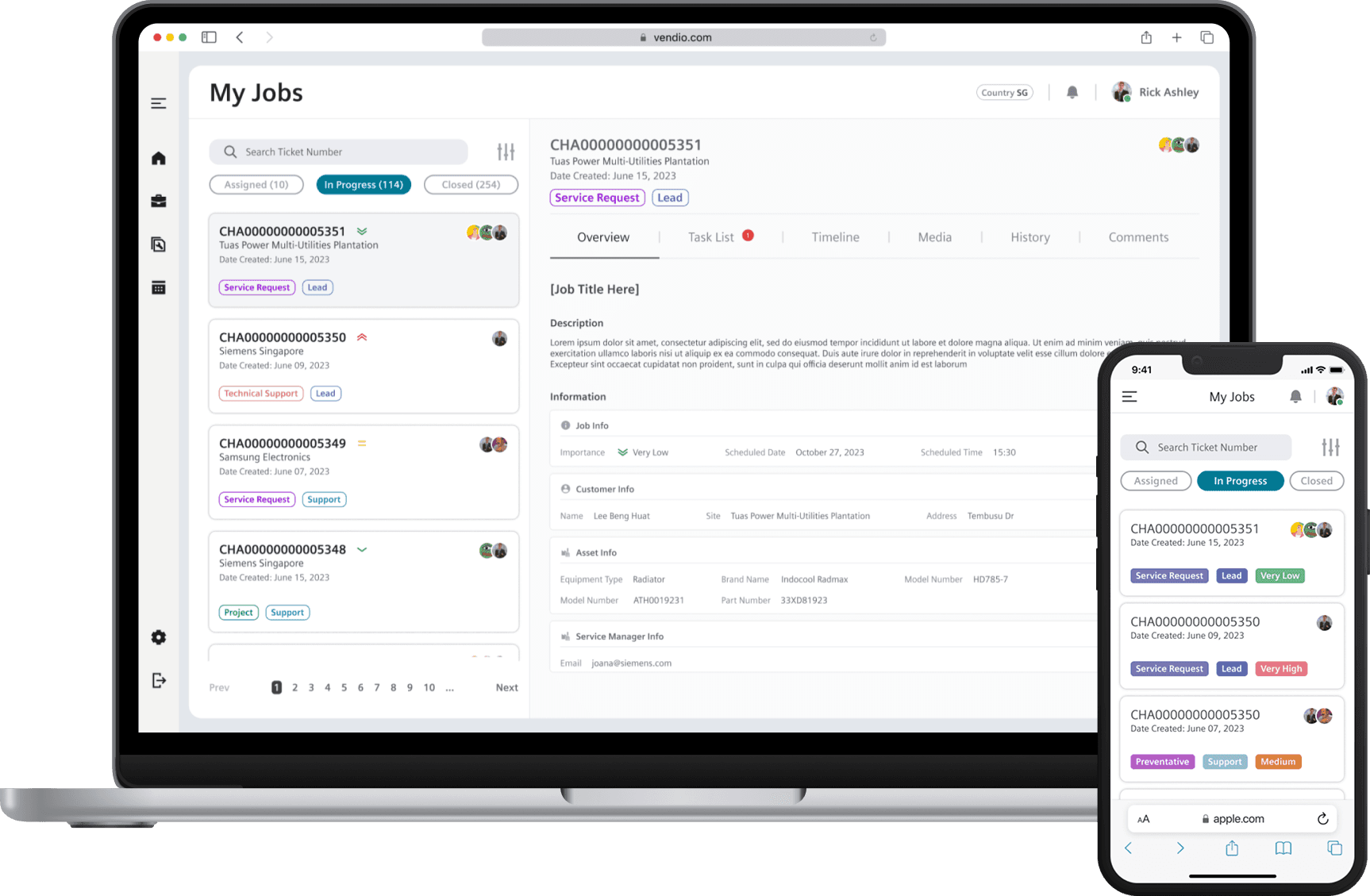
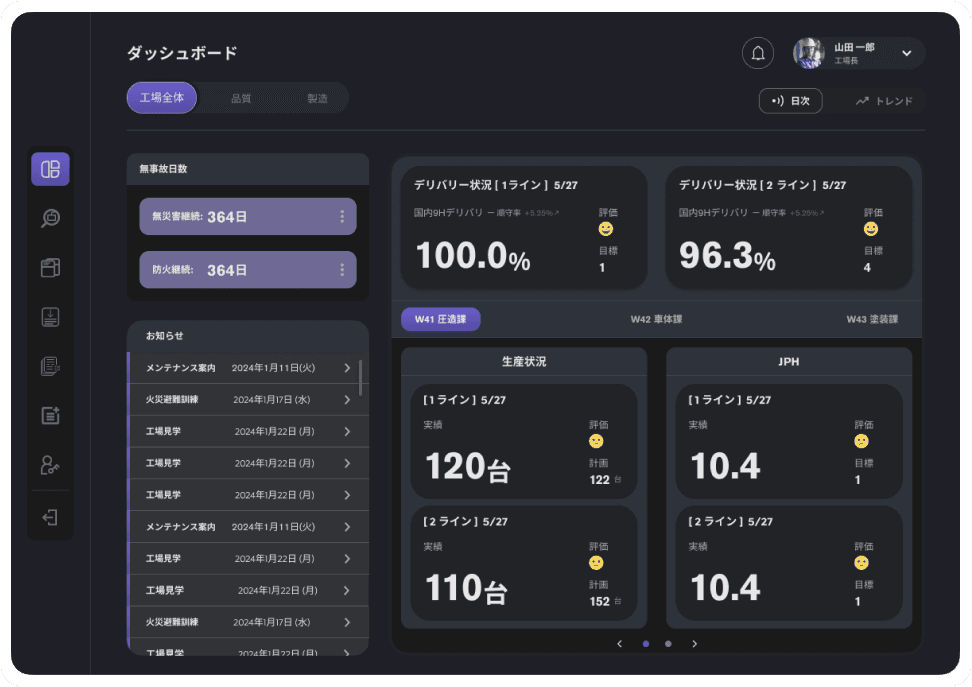
Designed for fast-paced factories and modern teams, track real-time production metrics, coordinate updates across departments, and keep every site aligned from a single, high-performance interface that's built for speed and scale
Project type: B2B Web App
Role: UX and Product Designer
Industry: Car Manufacturing
Quick Snapshot
Here’s the project in a nutshell: what we aimed for, how we got there, and what came out of it — all at a glance
Client :
Japanese car manufacturing company
Goal :
Replace fragmented legacy systems and workflows with a unified factory insights platform enabling live production tracking and scalable operations.
Project Type :
New internal platform development covering factory performance dashboards, user management, data input, bulletin posting, and parts backtracking.
Locked the Deal
Proposal won client buy-in before interviews began.
Dual-Need Wireframe
Wireframes addressed both client's KPI/production needs and our company's business roadmap.
Real Adoption
Delivered a modular, scalable system ready for nationwide rollout; well received by client teams.
Awarded for Impact
Received company credits for design leadership; praised directly by clients as "fans" of my work.


Curious how it all came together? Let’s break it down step by step.
Introduction
Why the Project Mattered
The client; a global car manufacturer, struggled with their legacy system and excel sheet that fragmented operational data and limited business agility. Data updates are only provided at the end of the month and disconnected interfaces hindered quick decisions and alignment across manufacturing workshops.
Legacy System
The factory workshop teams were relying on a mix of Excel sheets and an old internal tool. Data was only updated monthly, so managers couldn't spot issues or react in time.
Data scattered across multiple excel files and screens, no single source of truth
Monthly updates made "real-time" tracking impossible
No way to see historical data in a big picture.
No clear audit trail for what changed, when, and by whom.
Below: The legacy interface that engineers used daily. Fragmented, dense, and hard to act on.
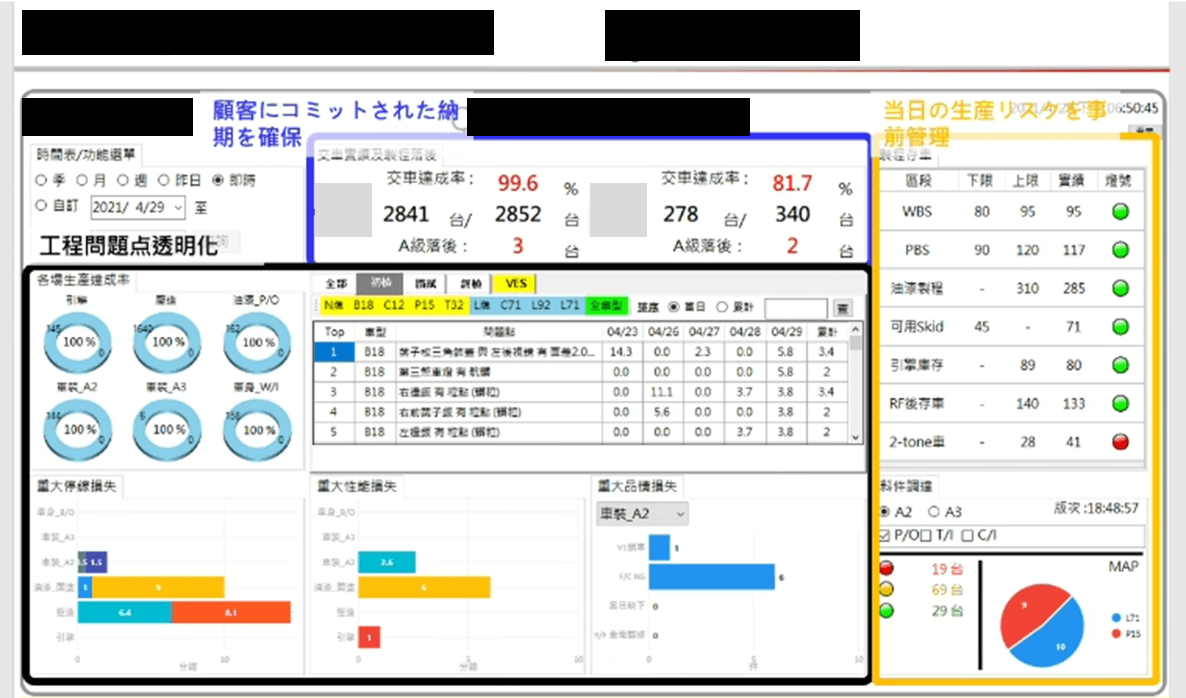
Redesigning for Efficiency
We partnered with a leading Japanese Car Manufacturing company, they are a global leader in automotive innovation, to design a desktop-based internal platform from the ground up. Focusing on streamlining KPI tracking, user management, data input, and bulletin postings across multiple factories. While a legacy system existed, it served only as a rough reference.
Working within a fast-paced Agile framework with 2-week sprints, I led the end-to-end UX process and delivered a fully client-approved design package, collaborating closely with developers, product managers, and stakeholders across the 6-month timeline.
Duration :
6+ months
Platform :
Desktop web application
Process :
Agile (2-week sprints)
Team :
UX/Product Designer (me) | Developers | PMs | Client Stakeholders
The Business Goal
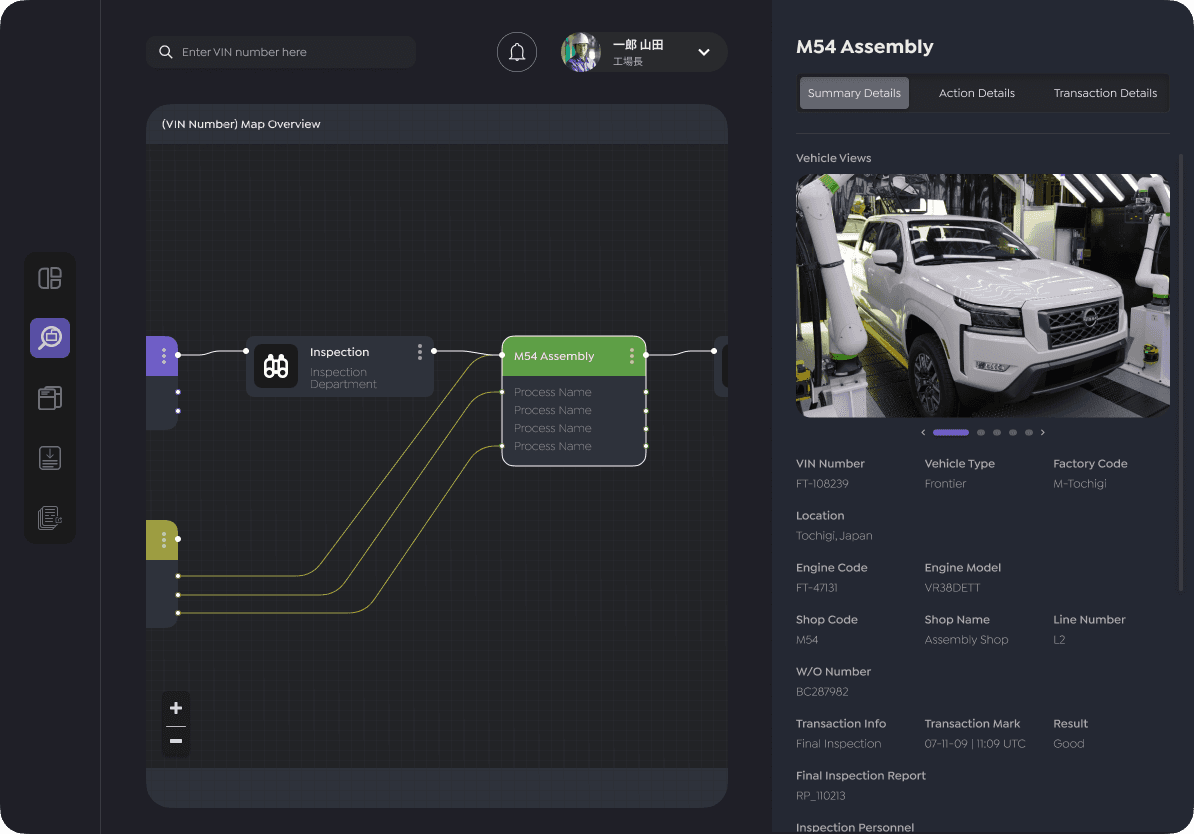
Beyond fixing day-to-day operations, leadership also saw this project as a way to extend Siemen's existing "Trusted Traceability" capabilities into the new platform.
Integrate traceability features so engineers could track parts and incidents end-to-end inside a single tool.
Position the app as a reusable traceability product Siemens could offer to other manufacturing clients.
As part of the winning proposal, I designed high-fidelity mockups that visualized how "Trusted Traceability" could be embedded into the newly designed product. Showing both the clients and Siemens how this platform could scale beyond a one-off solution.
Deal-Winning Proposal Wireframes
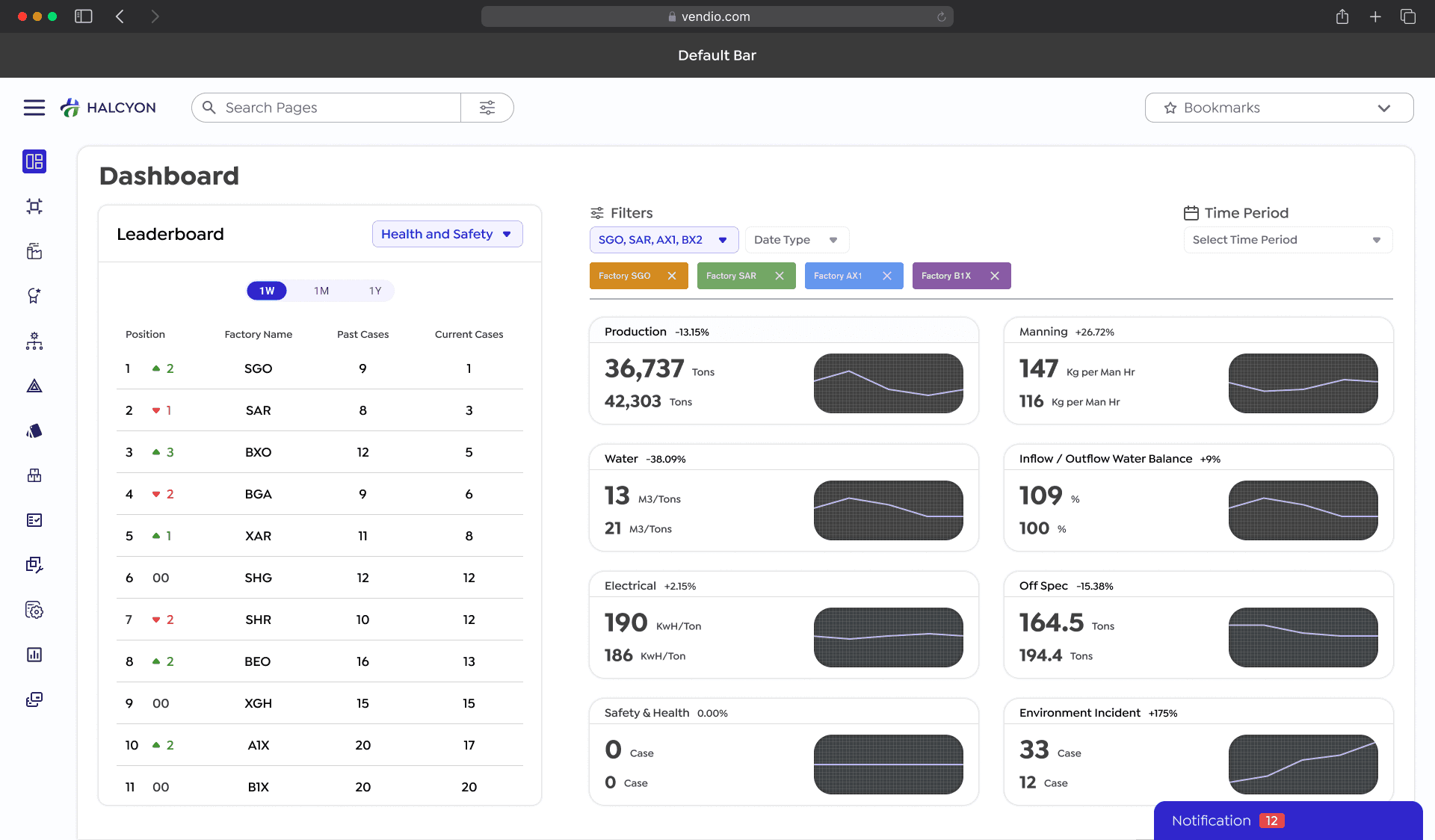
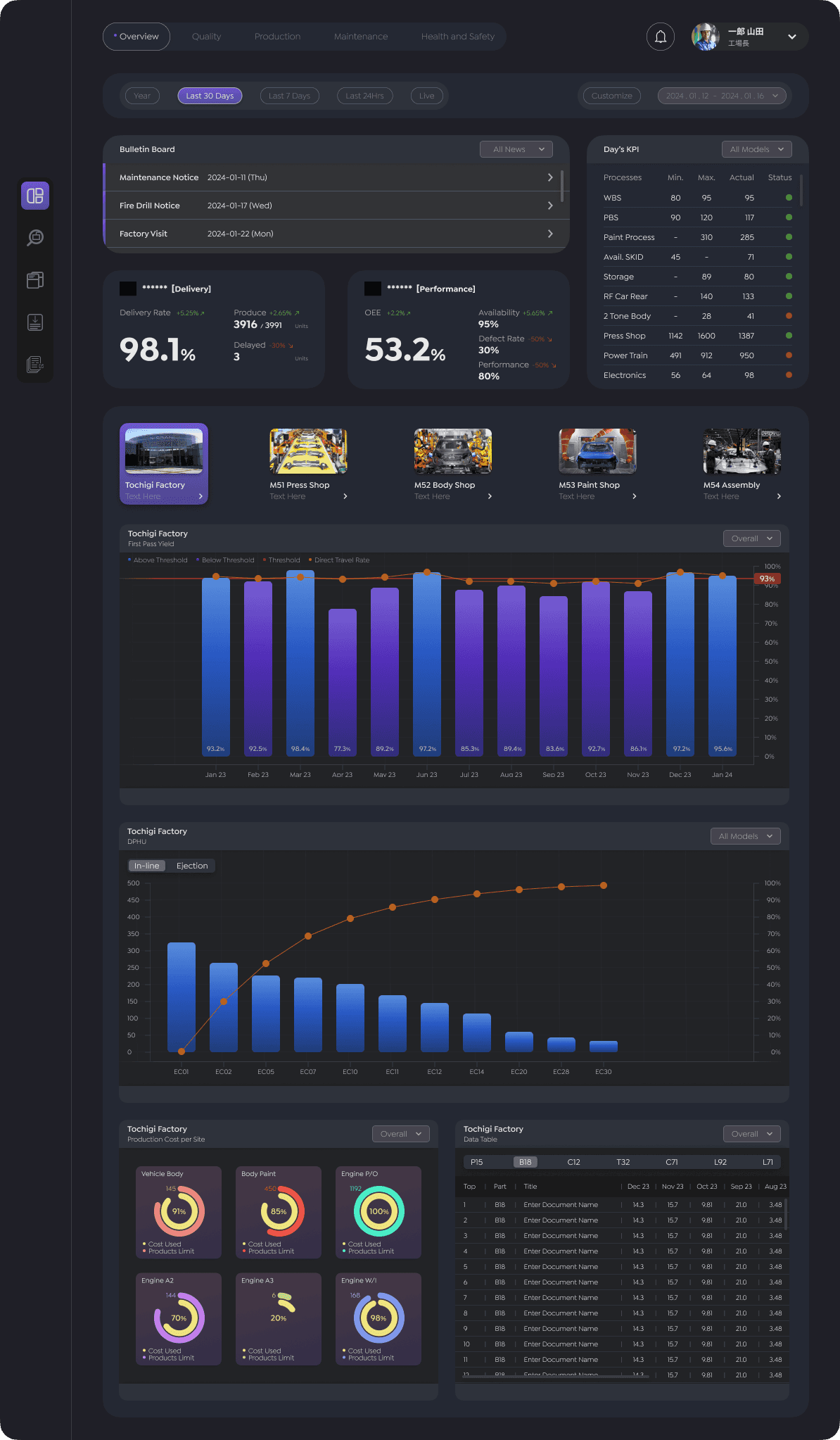
Before requirements were fully gathered, I took initiative and created high-fidelity wireframes to:
Demonstrate a unified dashboard merging live and historical KPIs, replacing fragmented data silos.
Visualize modular layouts for scalable features: user management, parts tracking, and bulletin boards.
Present intuitive, quick data input flows optimized for factory speed.
Overview of Dashboard
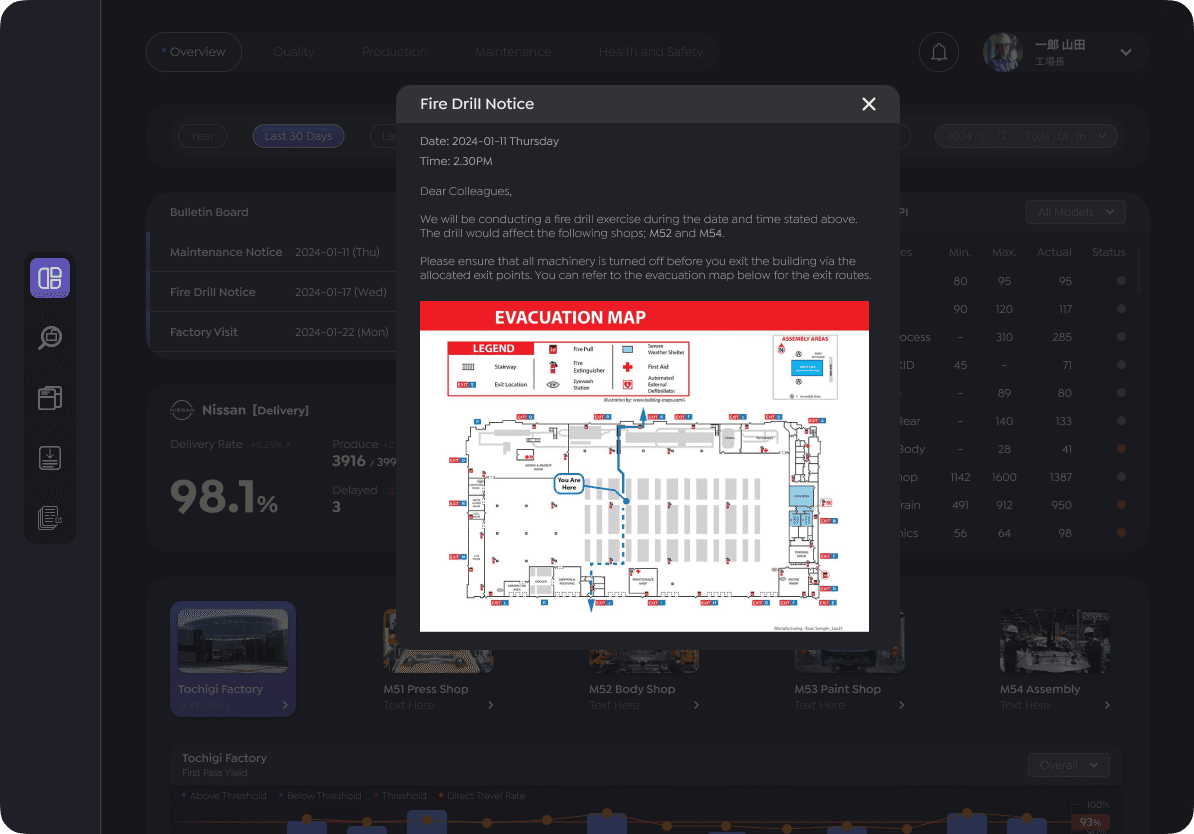
Bulletin Notice Pop-up
Trusted Traceability
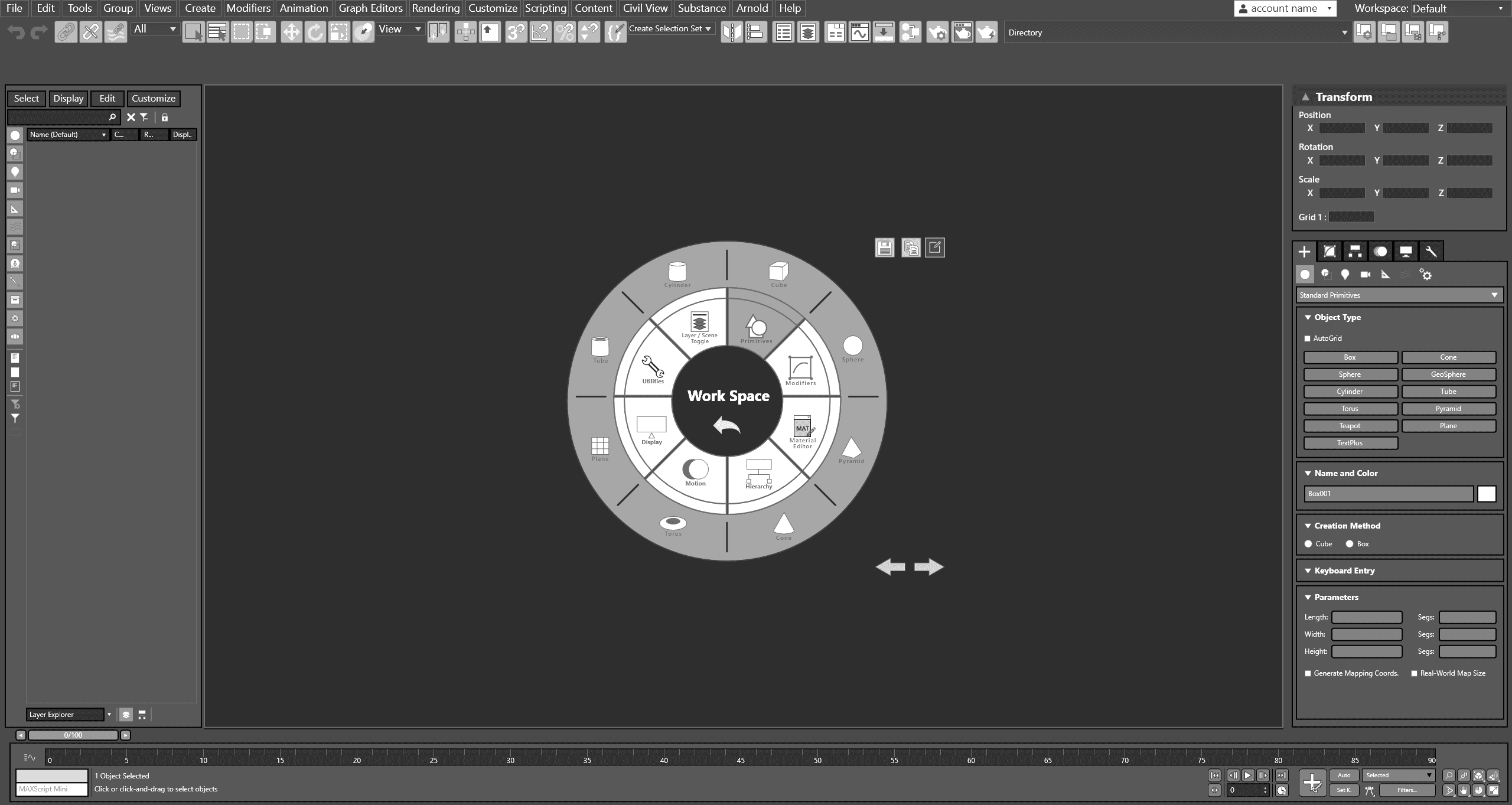
A SaaS that Siemens provide for manufacturers to better trace their production pipeline. I decided to implement this feature as a blueprint so that they can have a very clear overview of the vehicle production status at each stage.
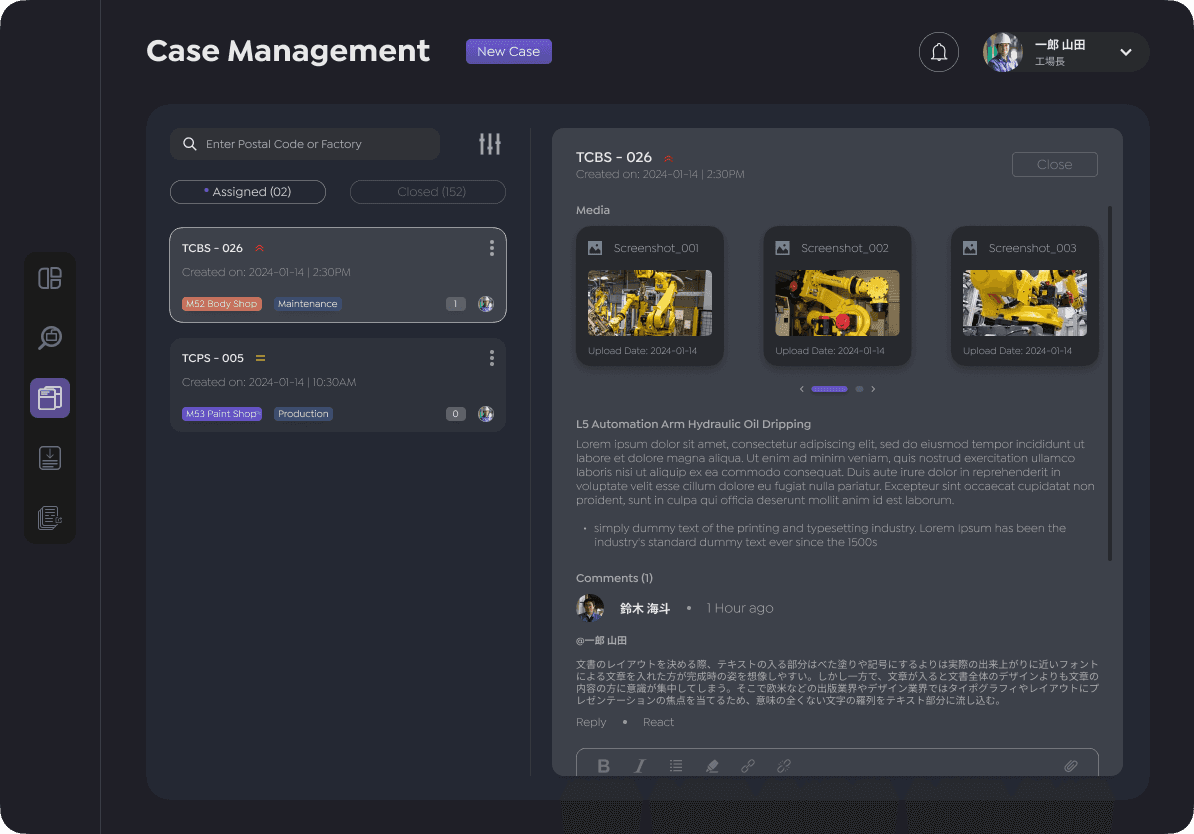
Case Management
About The Users
Research Foundations
To move from a promising proposal to a platform that genuinely fit factory realities, I needed to understand who used the system, how they collaborated, and where the current process broke down.
Mapping key user groups across departments
I began by identifying all roles in production tracking; line engineers, team leaders, quality and production staff, maintenance, and factory managers. Then organized them by their department to reveal how responsibilities and information needs connected along the production chain.
User Personas
Using stakeholder conversations and early interviews while the business analyst gather requirements from them, I created concise personas for each critical role, focusing on their goals, daily task, frustrations with the legacy tools, and what success would look like in the new platform. Once this is done, it was presented to the client for validation.
*Some information had to be reworded or redacted due to non-disclosures.
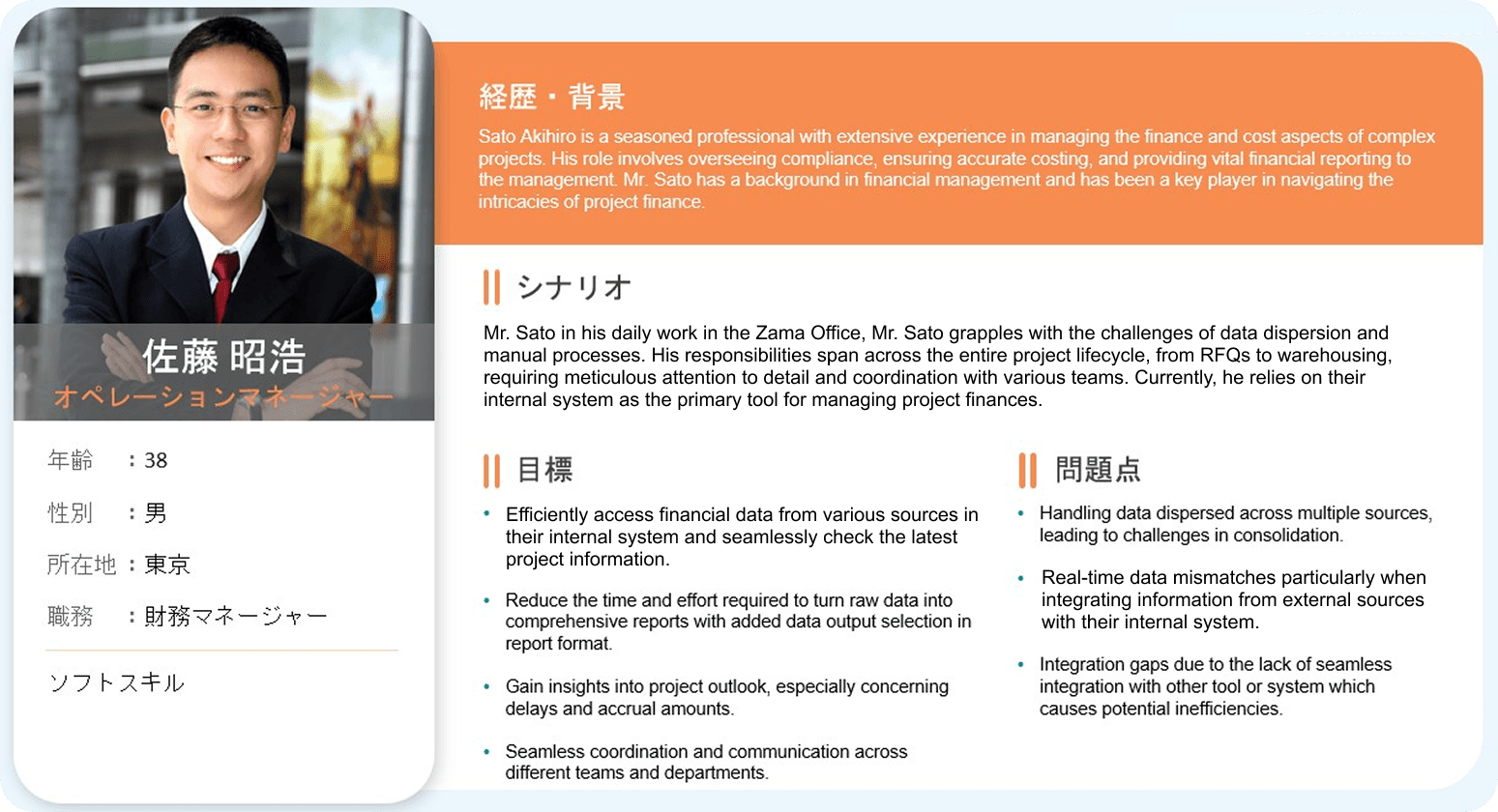
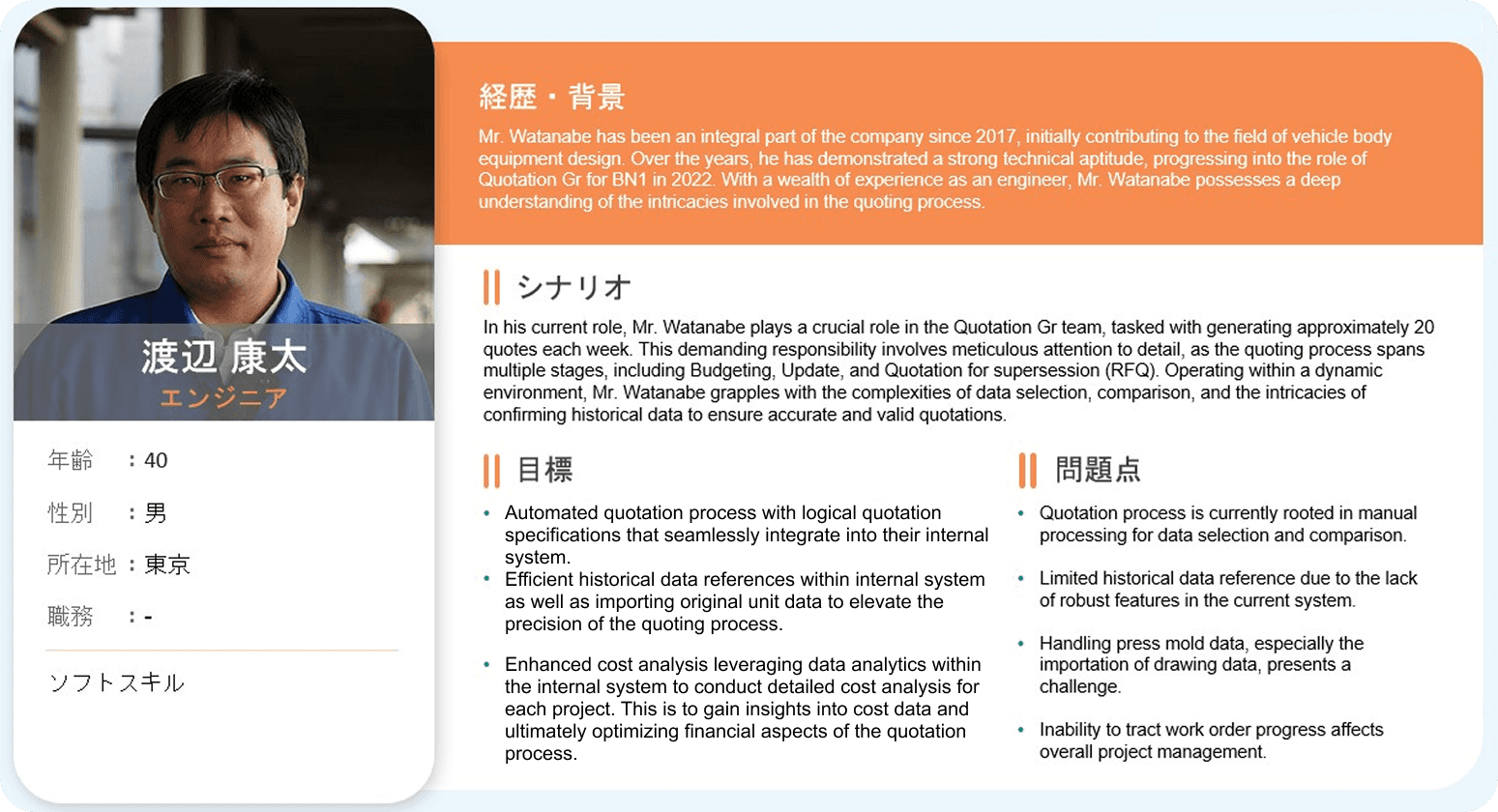
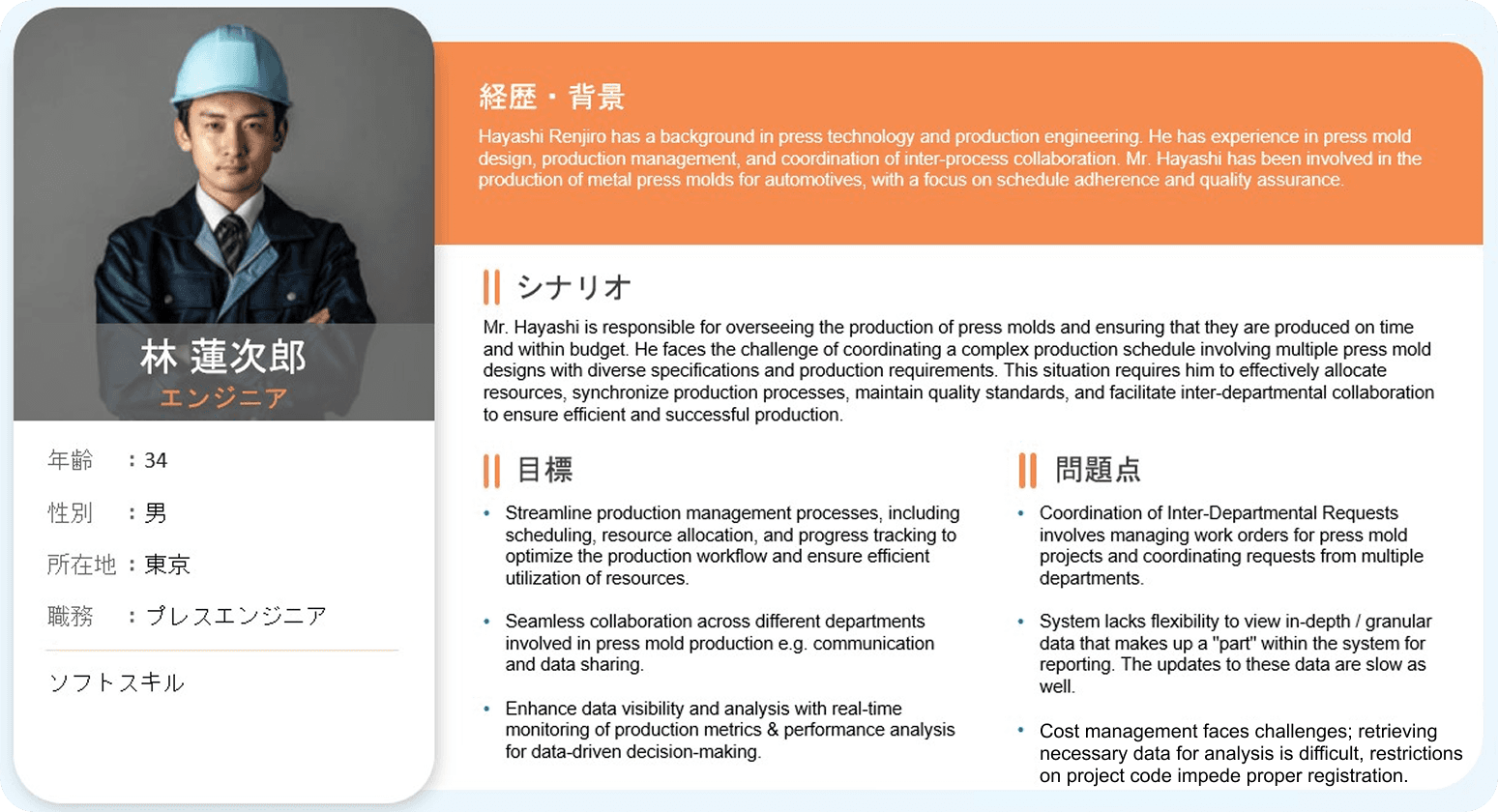
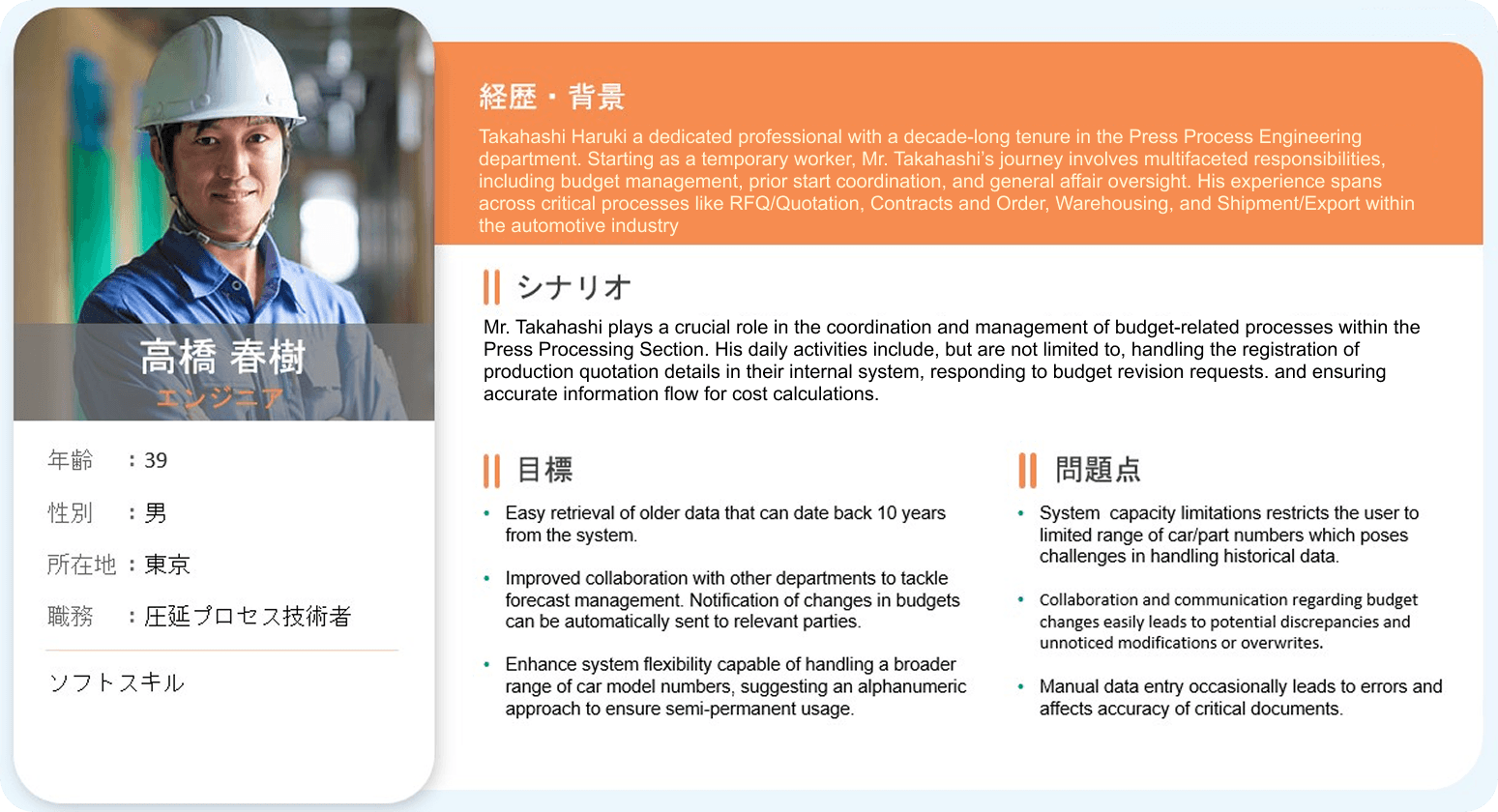
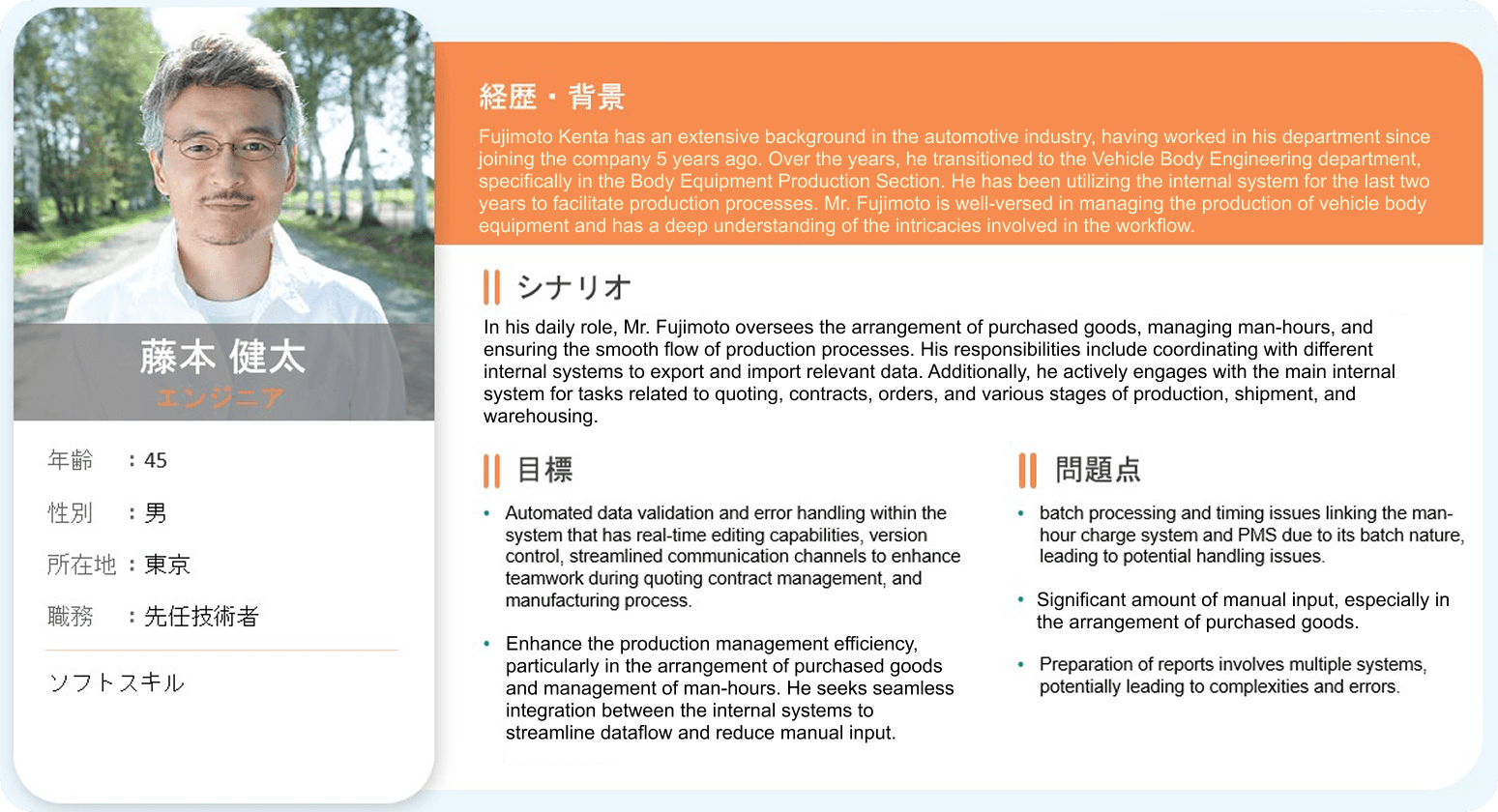
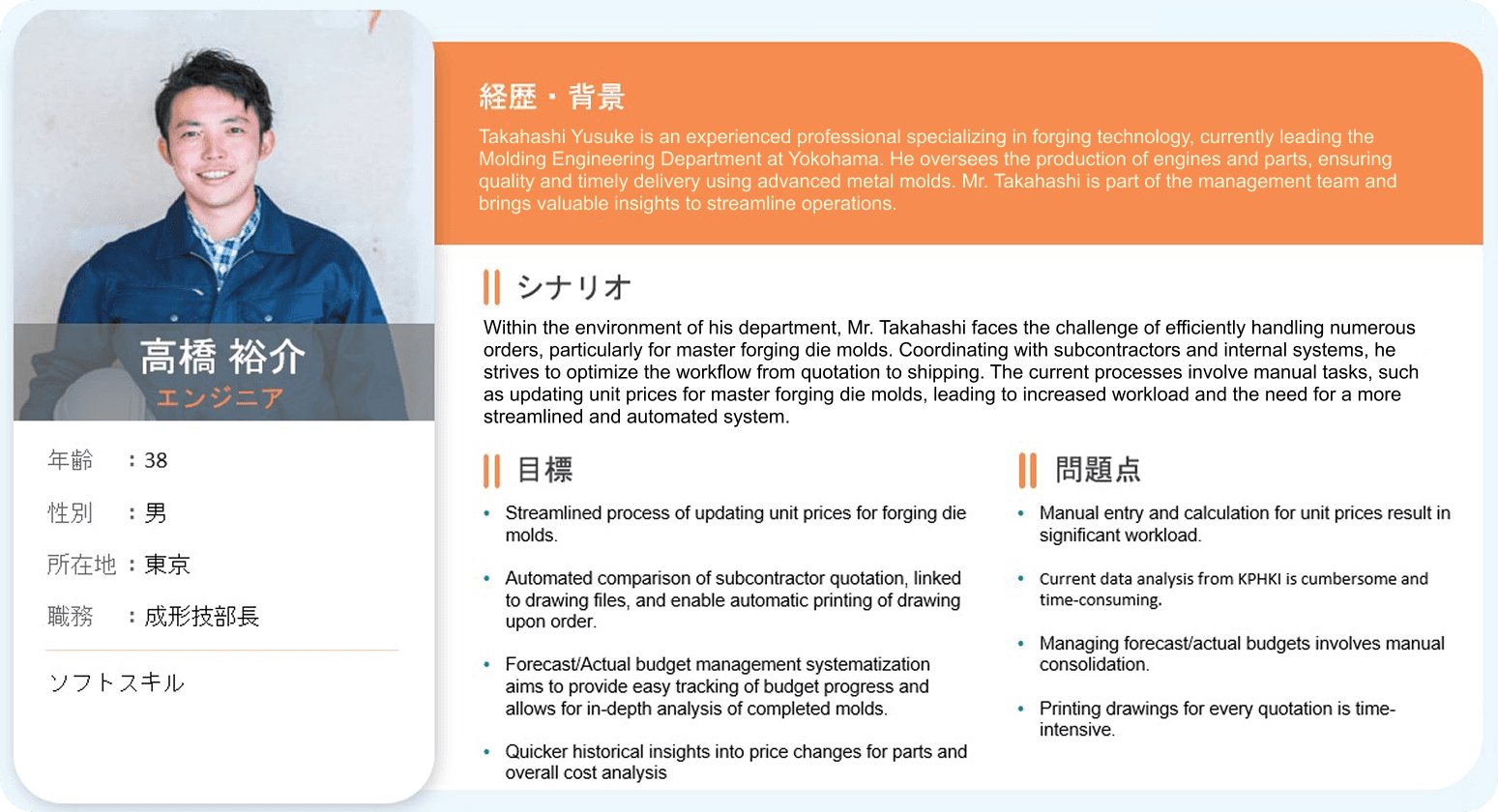
These personas clarified who wee were designing for, what information each role needed most, and which moments in the day were most critical for decision-making.
End-to-End Process & Feature Flow
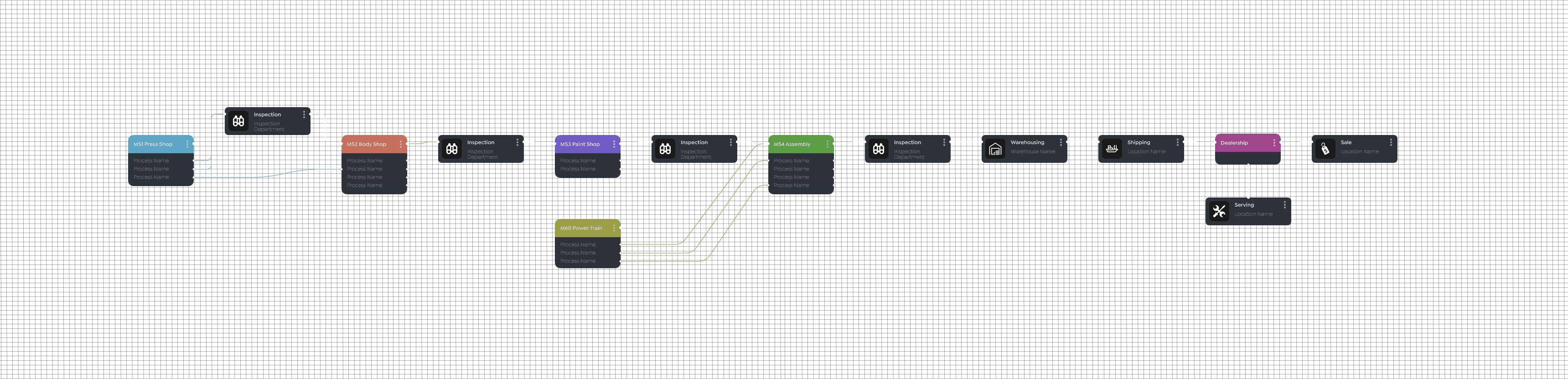
Next, I translated the requirements and persona insights along with the requirements that was gathered by the business analyst into an end-to-end flow chart that showed how data should move through the system.
Mapped the journey from shop-floor data entry and validation to KPI dashboards, bulletins, and traceability views.
Highlighted ownership at each step so it was clear which role interacted with which screen and when.
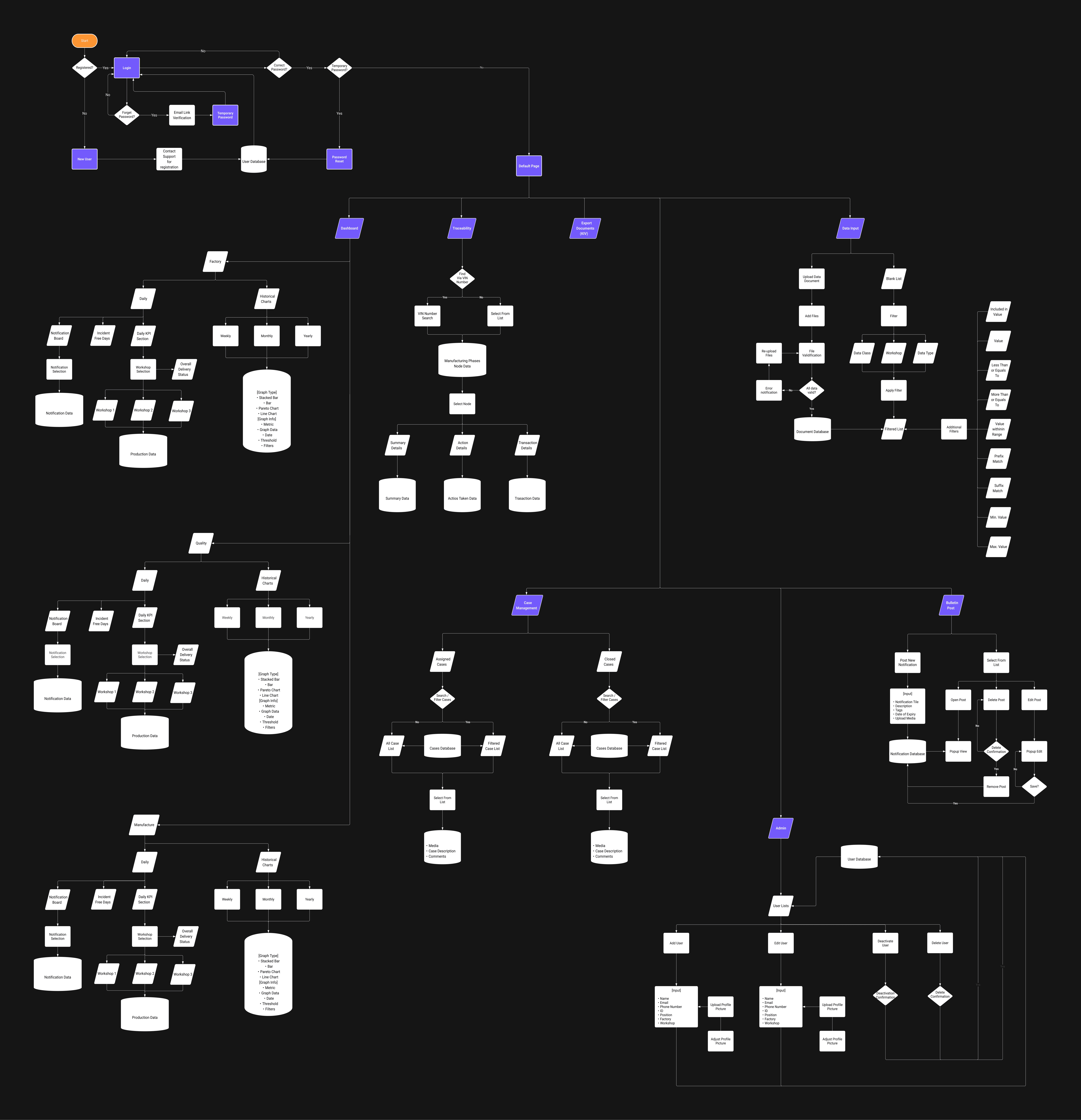
This flow chart became a shared blueprint for the team, aligning stakeholders on how features connected across roles and where the new platform needed to remove friction.
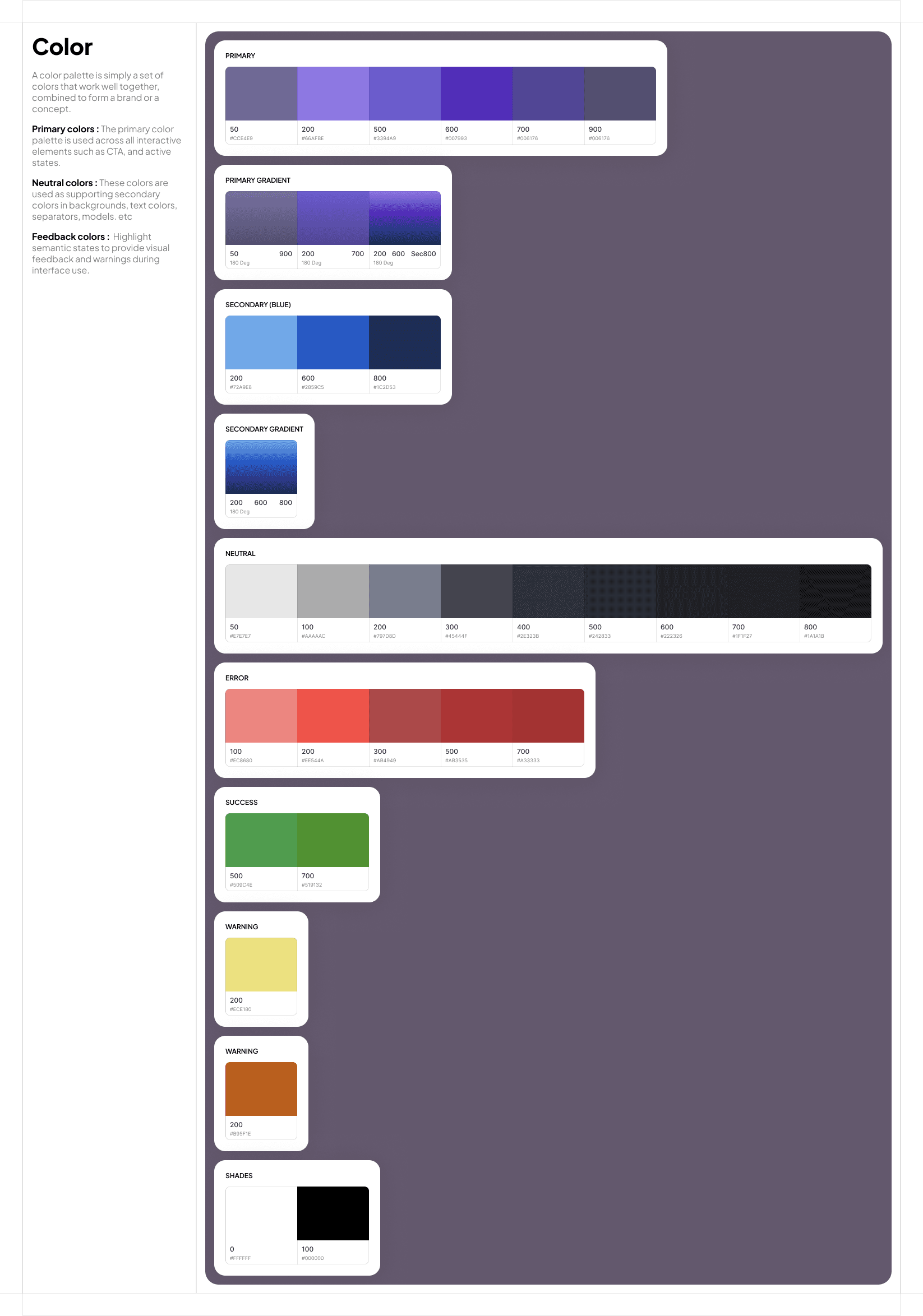
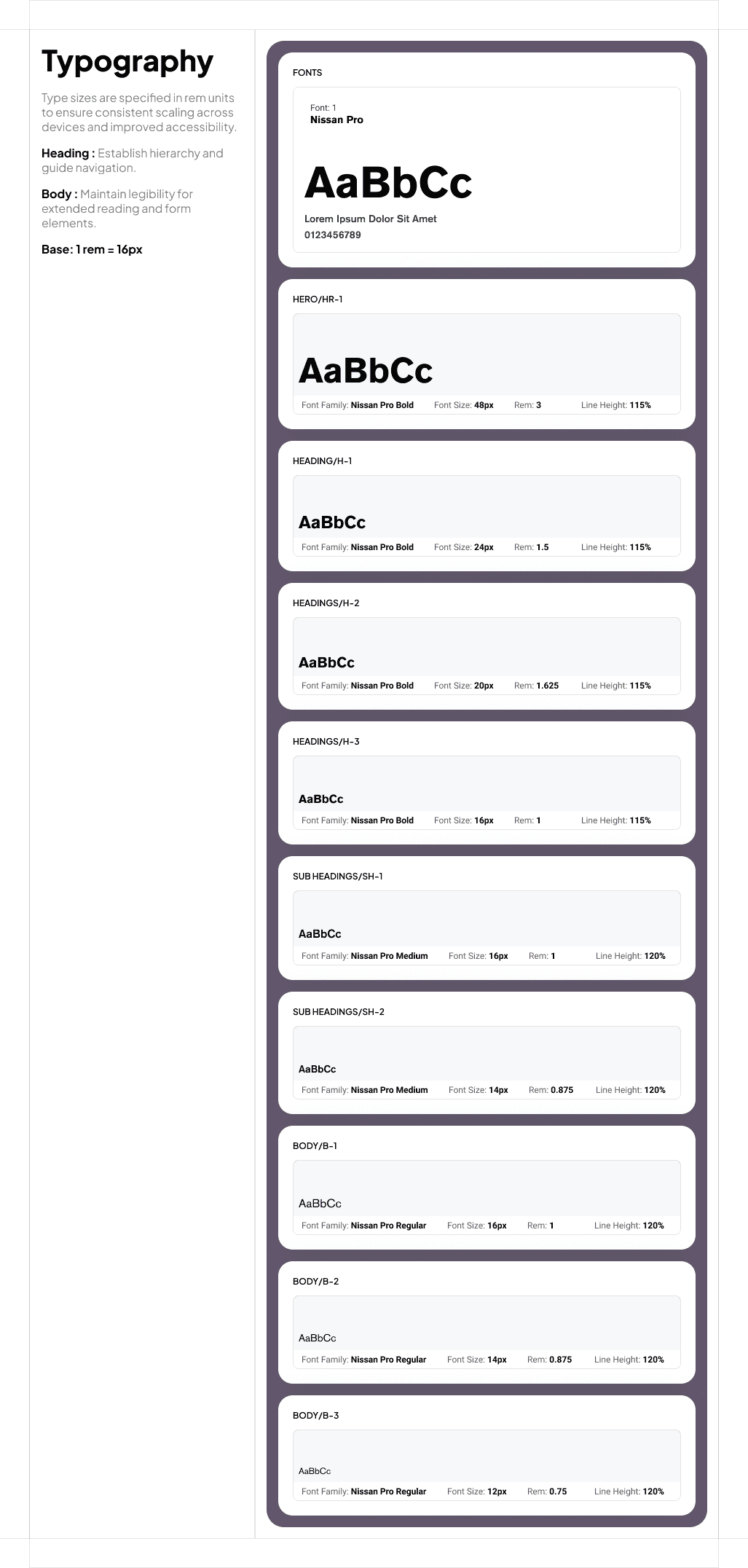
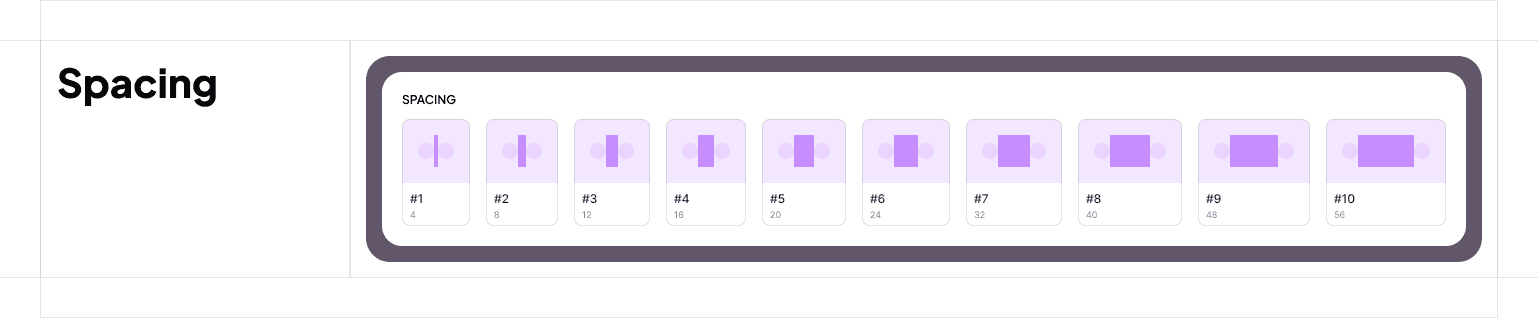
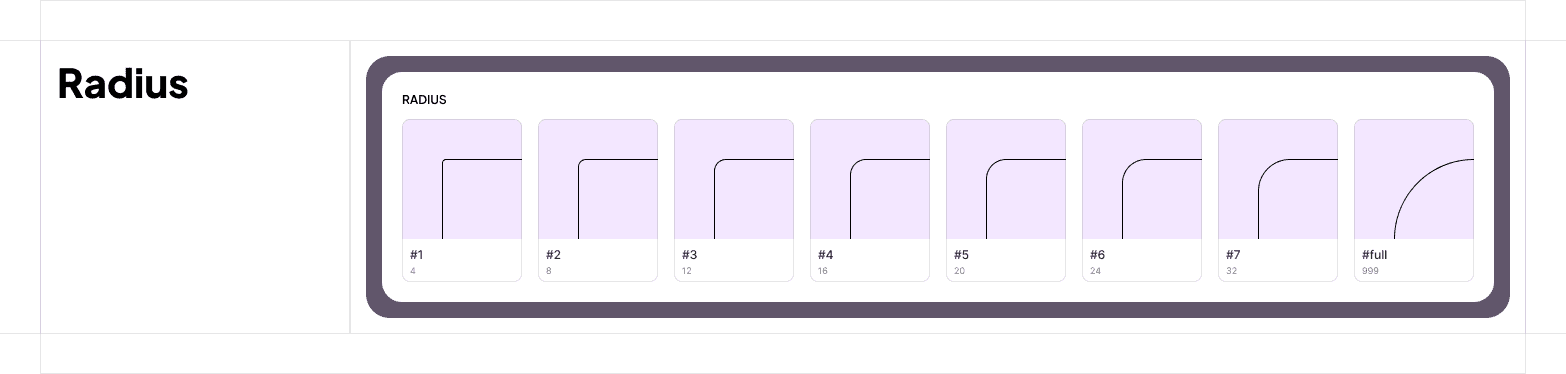
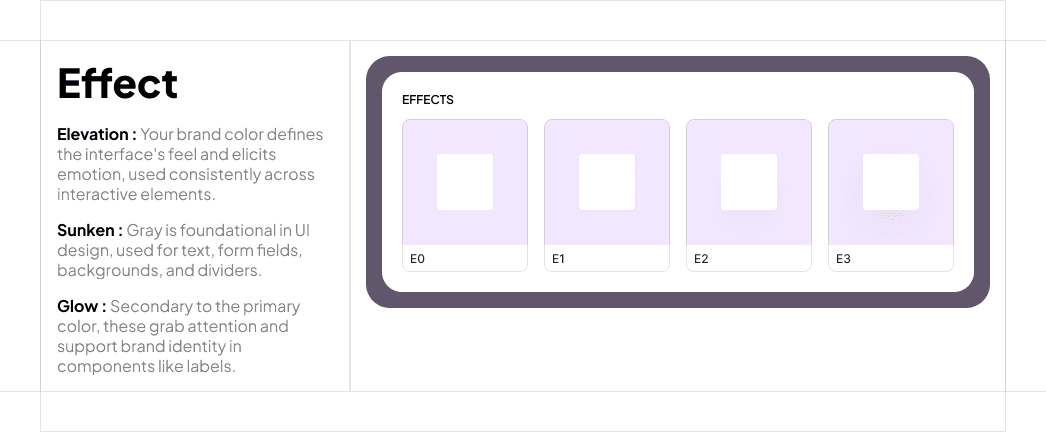
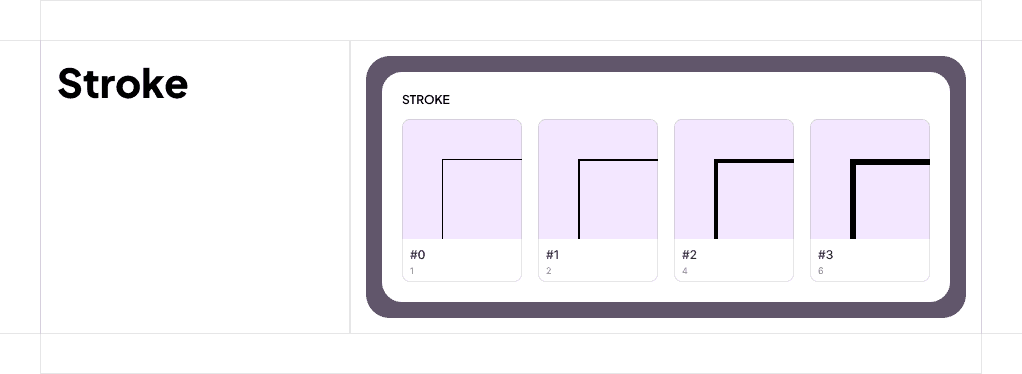
Design System for Scale
User-Validated Design Iterations
What Changed?
After business requirements were clarified, user interviews conducted and the product team decided on how we are going to tackle the product in phases, I pivoted and refined my designs:
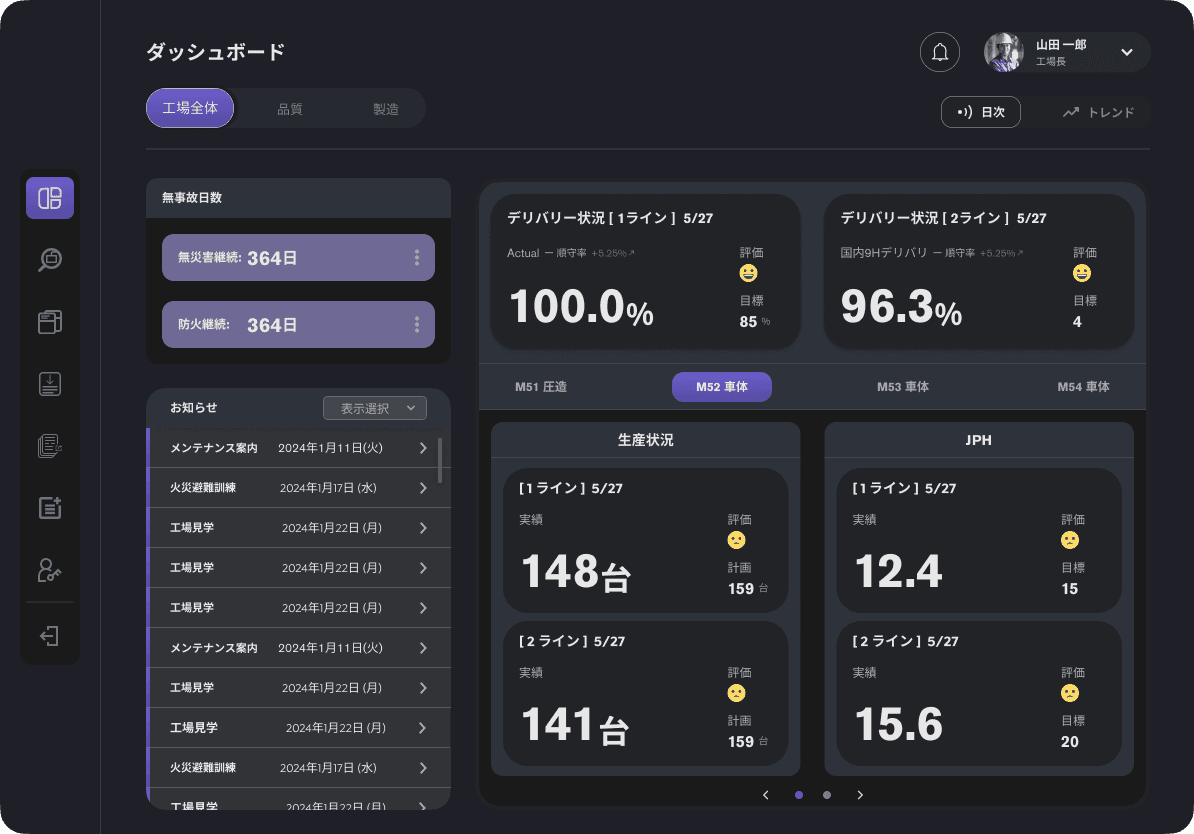
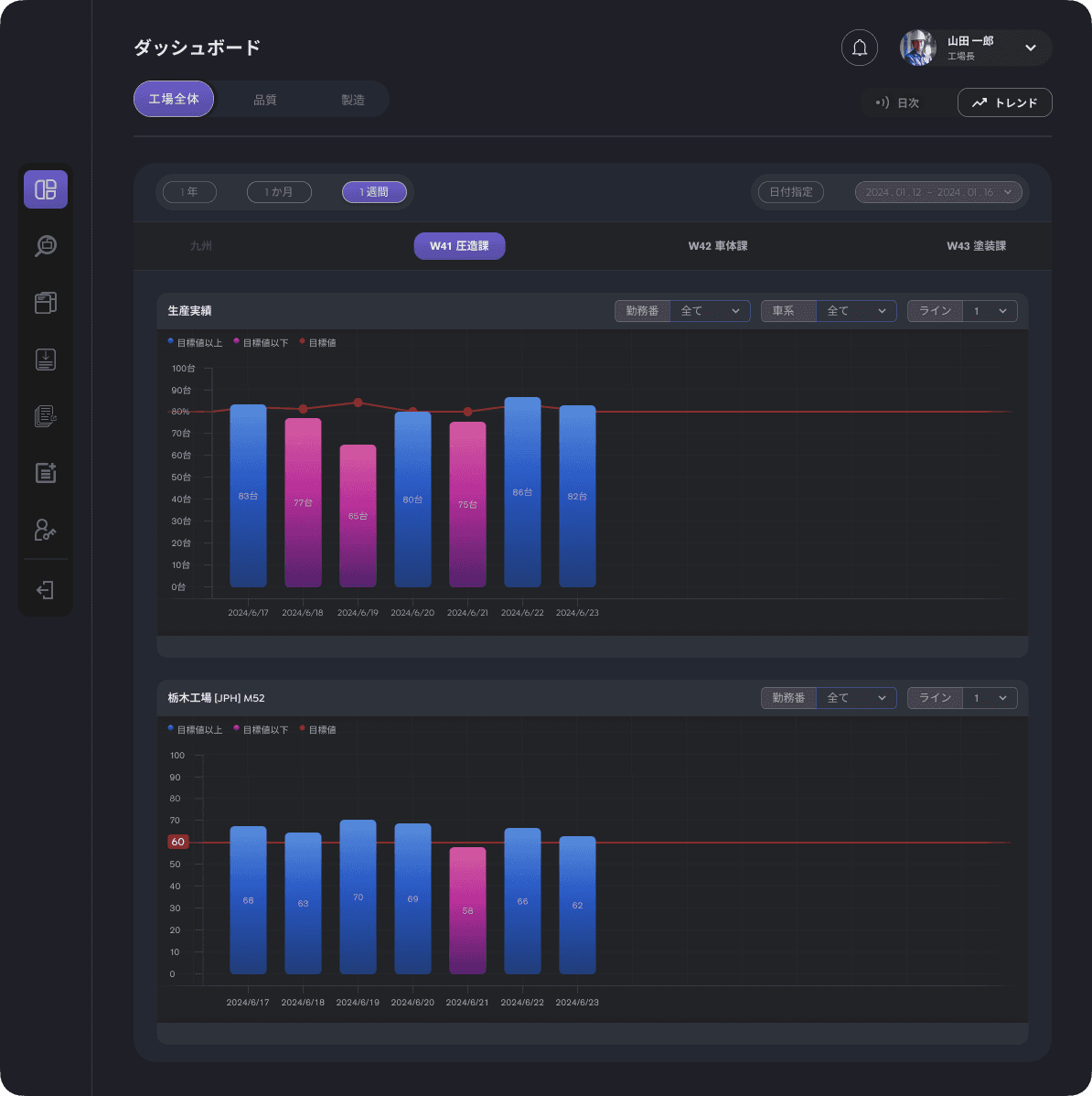
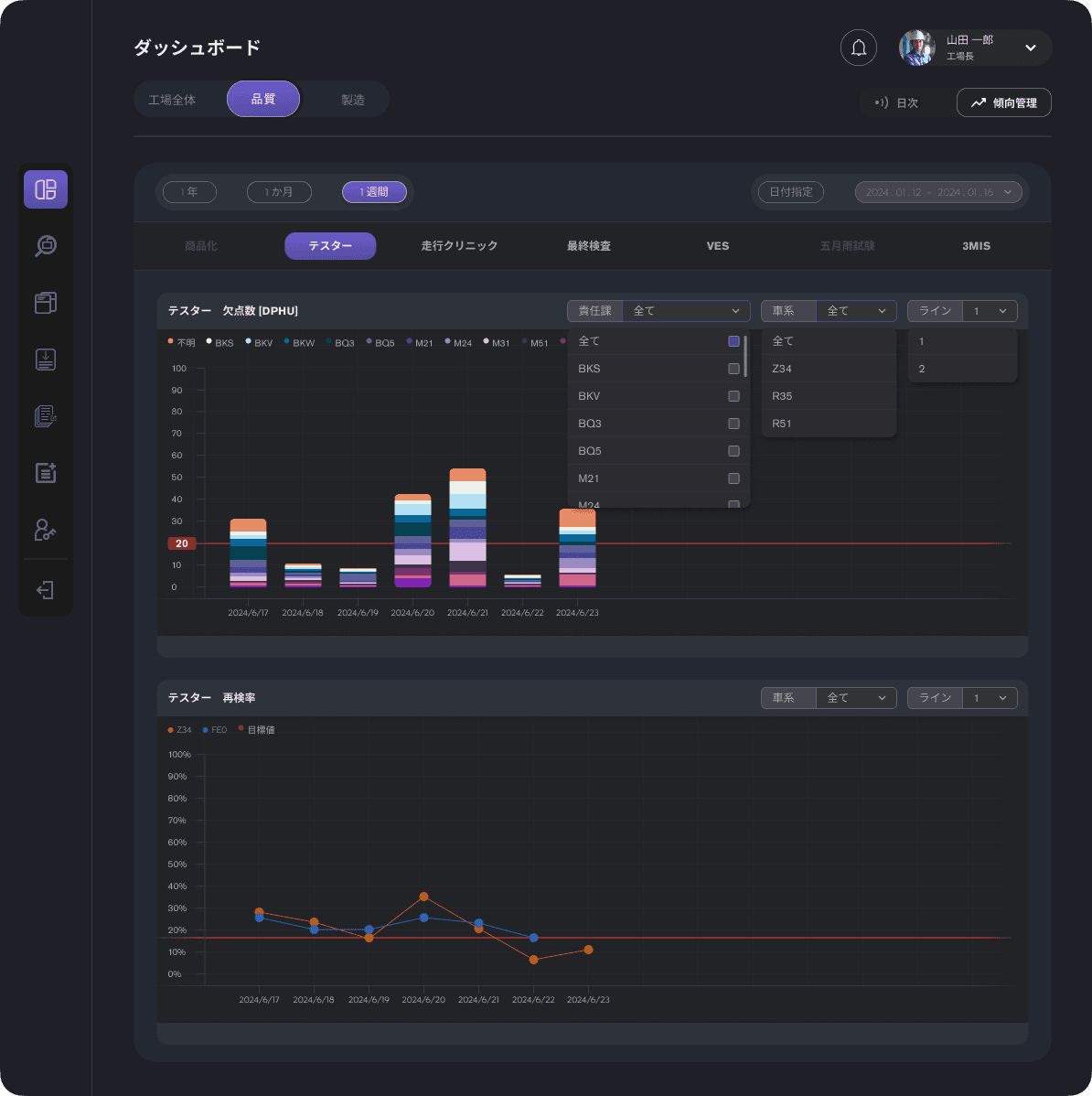
Dashboard
Implementing tabs
Split dashboard into separate tabs for live and historical data, improving clarity on operational status.
Reworked layouts
Optimize screen real estate based on real user workflows and feedback from stakeholder.
Dashboard information
Added/removed certain dashboard KPIs to align with user needs after consulting with stakeholders.
Bulletin Board Posting
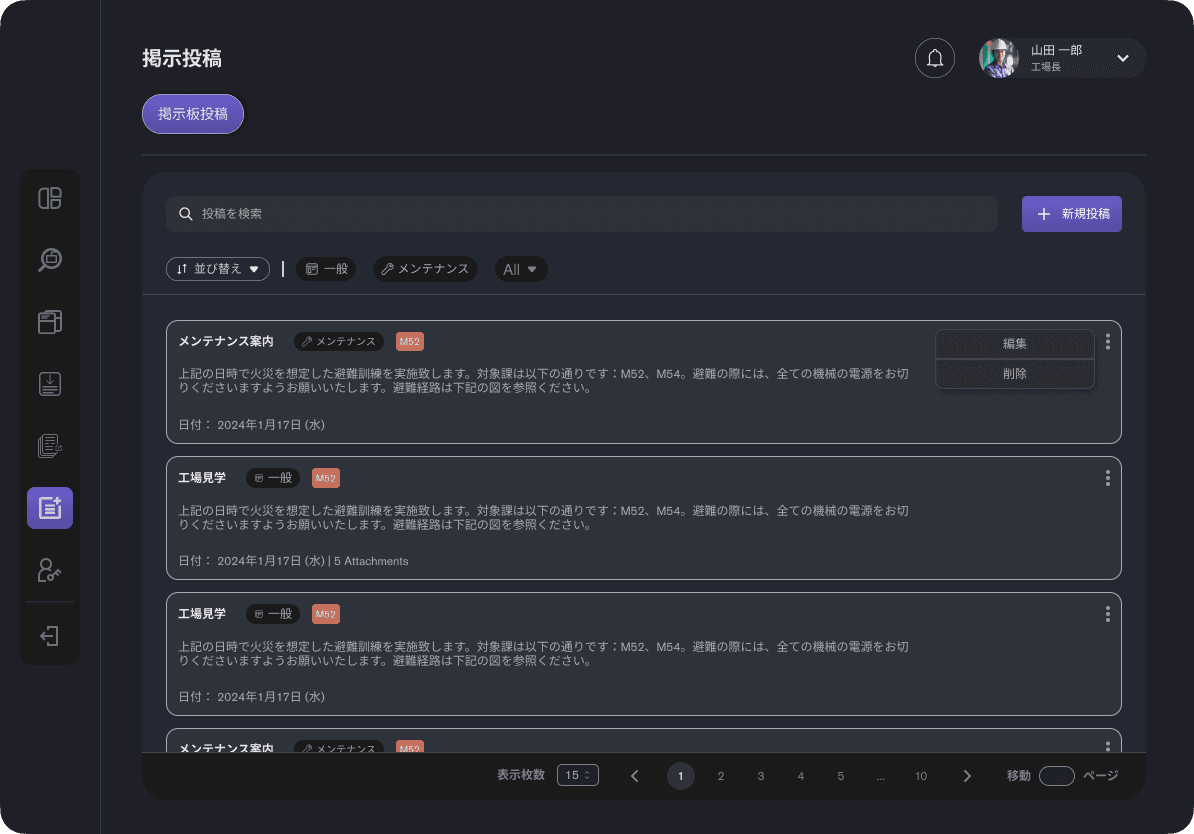
This feature was specifically requested by the client. Their management wanted to have a way to properly disseminate information to all everyone .
Historical Posts
This way allows users to make edit to what was previously posted.
Labels
As there is a possibility that these post may grow to a huge amount, I decided that having tags and labels demarking which workshop this notification belongs to, and what type of announcements the post is categorized as. Having this labels and tags allows the users to filter through them and get to what they are looking for more easily.
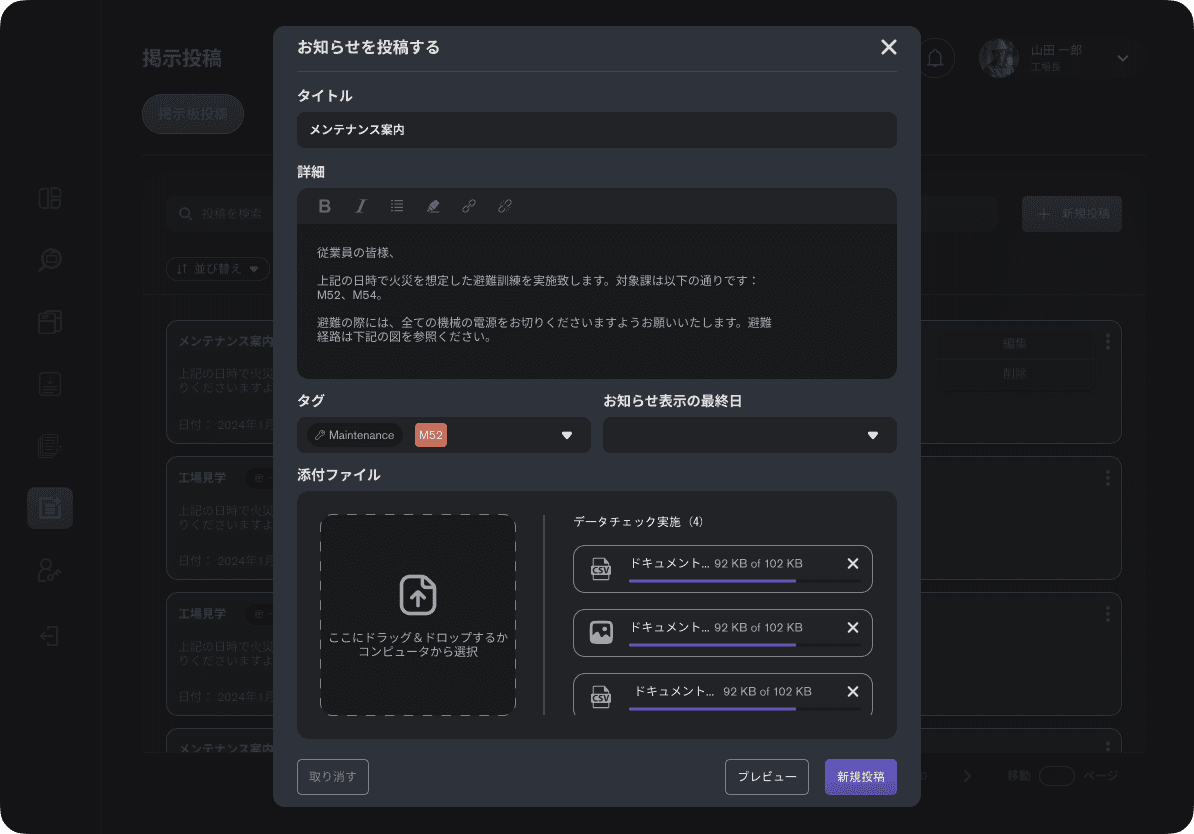
Posting
When posting, the user has the standard "Title", "Contents", "Tags", "Labels", "Media", and most importantly a "Post Expiration Date".
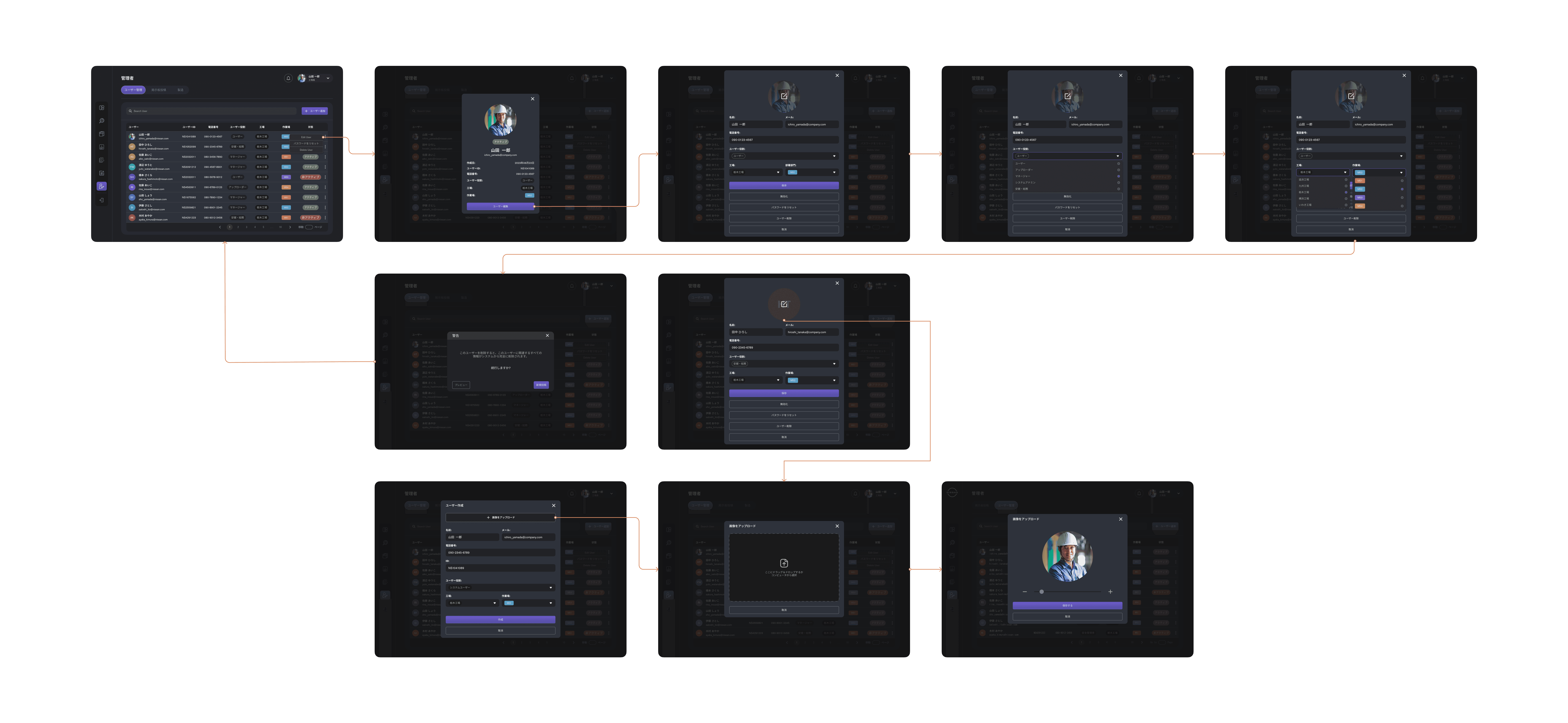
User Management
This is for higher management to manage their users within the factory. This feature is only available to management level users.
Data Uploading
This feature is a key feature where it provides a central place where all their documents and data is uploaded so that they can get key KPIs and other historical data is uploaded and viewed.
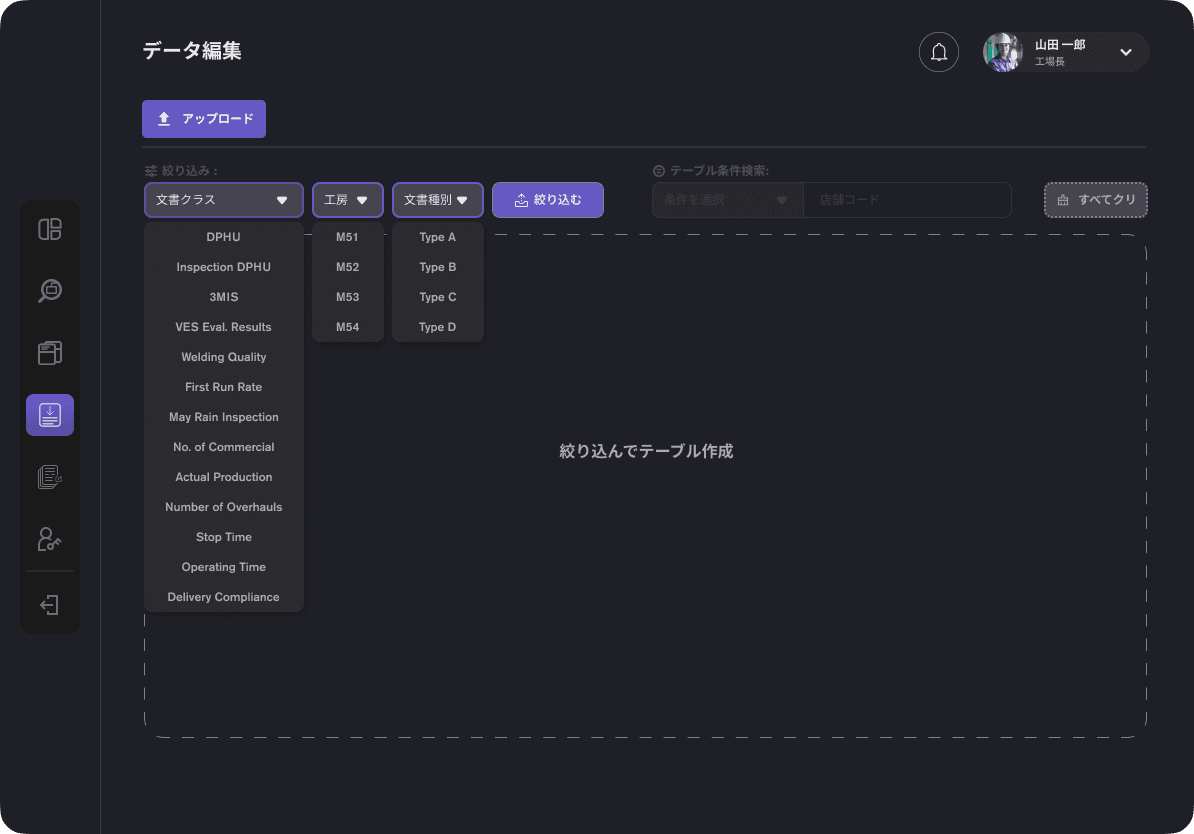
Viewing Challenges
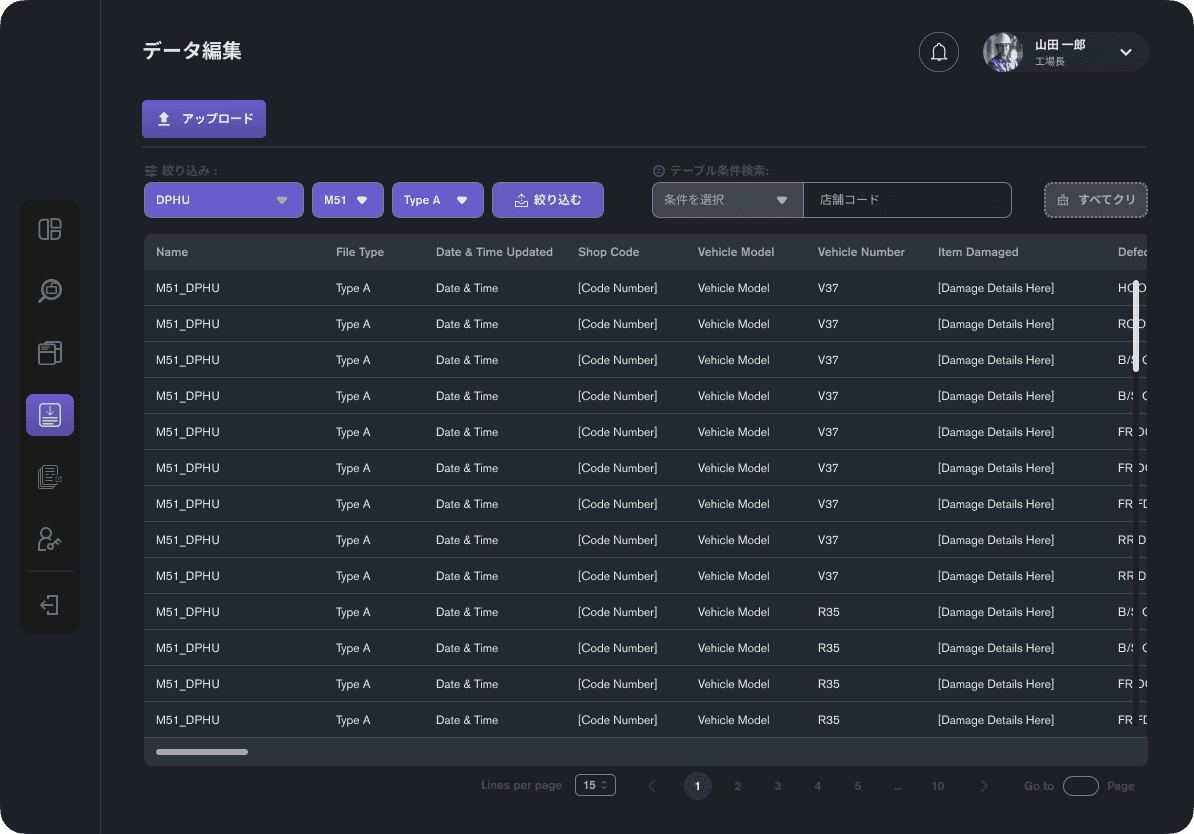

As there can be multiple similar document that can be unique to different workshop and have different fields, I classified the data into 3 different categories; Document Class, Workshop, Document Type. Through this, the user can easily filter through the data.
*Due to the nature of different fields for each document, unless the user applies a filter, they would not be able to see any data being displayed at first.
Uploading
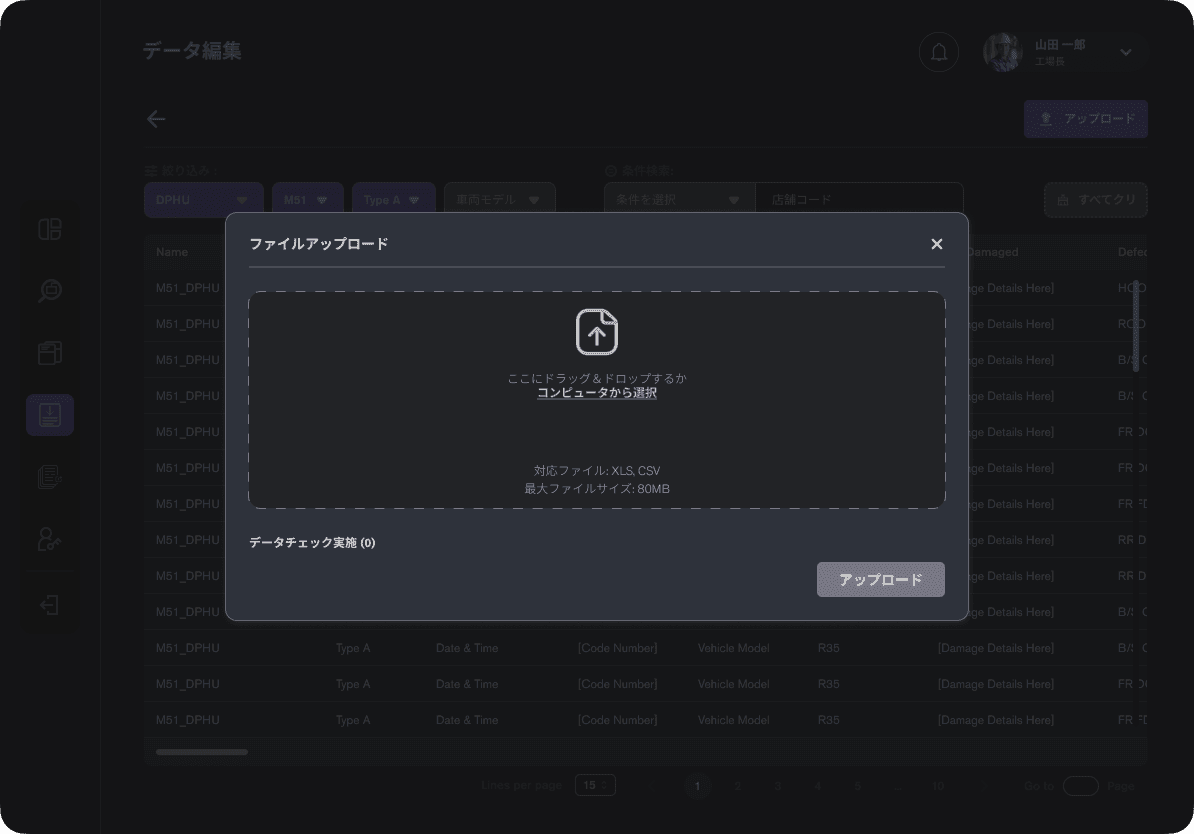
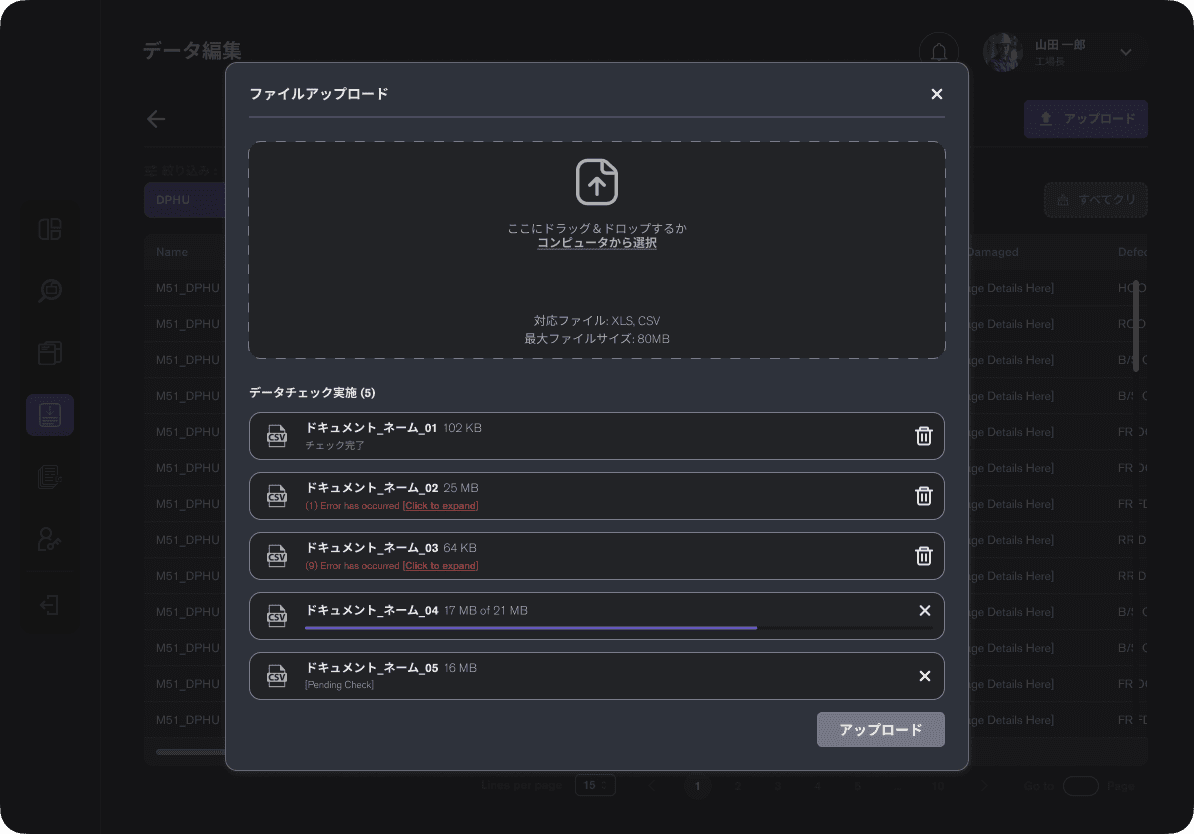
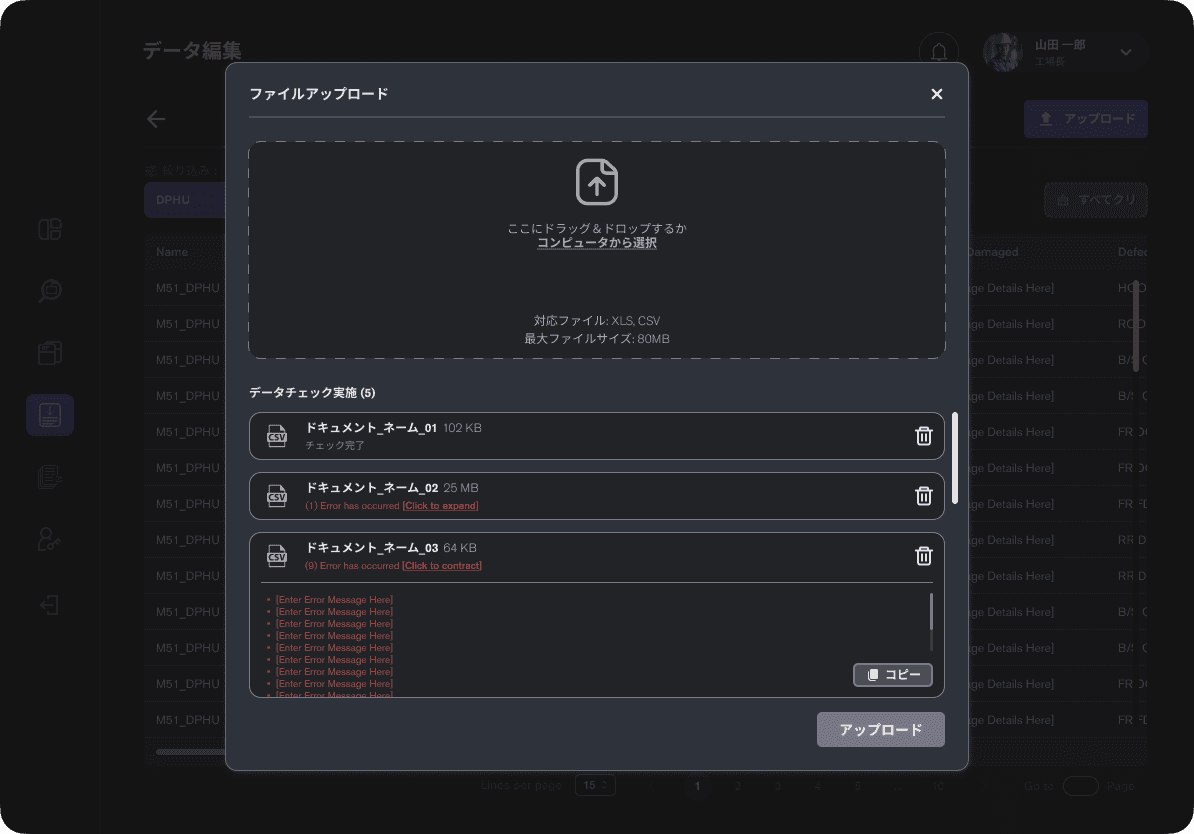
For uploading of a new data, the user can just drag and drop the files into the upload pop-up.There will be a Auto Checker to ensure the data within the files are correct (defined through the backend)
User will be able to check for the error message if there are anything wrong with the file uploaded.
Designing for Agile Reality
Designing something buildable in 2-week sprints
Designing an end-to-end platform in 2-weeks sprints meant the "target" kept moving as requirements, feasibility and expectations evolved.
Worked in 9 sprints with shifting priorities
Early attention swung from dashboards to data-upload flows, then back to visualization, so I continuously re-sequenced my design task to keep development unblocked.
Kept deliverables sprint-ready, not just "perfect"
For each sprint, I supplied the smallest coherent slice the team could build (flows, states, edge cases), even while later-phase screens were still being explored at higher fidelity.
Maintained clear communication through documentation
To offset second-hand communication, I relied on annotated screens, interaction notes, and quick Loom-style walkthroughs so business analyst and developers could understand intent without long meetings.
Navigating Real-World Barriers
When requirements and feasibility fall apart
As the project progressed, serious misalignments surfaced between what was promised, what was feasible, and what users actually needed.
Shifting Roles & Scope Creep
With most communication going through a business analyst, it became unclear if design intentions were accurately conveyed to the client. Feedback often came back vague or altered, and last-minute request to add or remove features became frequent. At times, the project felt less like a collaborative design process — and more like executing a vision that kept changing
"It reached a point where I wasn't sure if I was designing for the user — or redesigning for the client."
Requirements Drift From Business Analyst
Some early "must-have" features were based on incomplete or incorrect assumptions; once deeper conversations and testing started, I have to adjust designs to match how factories really operated.
Late Discovery of Technical Constraints
The outsourced development team initially confirmed feasibility on several flows but later flagged performance and integration issues mid-sprint, forcing rapid redesign to keep the experience workable.
Adapting Without Losing UX Quality
Whenever a feature becomes partially or fully non-feasible, I proposed alternatives (simplified flows, phased rollout, or lower-fidelity visualizations) that still respected user goals, even if the implementation scope had to shrink.
Owning My Part, Not Others
Throughout these changes, my focus stayed on clarity, usability, and alignment; the UX was approved, but the combination of wrong requirements and missed feasibility checks ultimately blocked successful implementation.
Client Response & External Praise
How The Design Landed with Stakeholders
Even as delivery issues mounted on the technical side, feedback on the UX itself remained consistently positive.
Direct praise from client stakeholders
During reviews and demos, client representatives described themselves as "fans" of the new designs, calling out the clarity of the dashboards and how much easier it would be to understand factory performance compared to the legacy tool. They were excited for the newly refreshed system.
Proposal wireframes as an internal reference
The initial proposal mockups continued to be used as a benchmark for what "good" should look like, both by the client and my internal team, even when prioritization and technical scope were changing around them.
Company recognition for design impact
Internally, I was awarded credits to purchase electronics and explicitly recognized for securing the project through design, and for maintaining a high standard of UX despite circumstances outside my control.
Outcome & Key Learnings
What This "Messy" Project Taught Me?
In the end, the project did not ship in the form we intended; due to compounded requirement and implementation issues, the client chose to move development to another vendor.
Outcome with nuance
My designs were approved and well-received, but inaccurate requirements and late feasibility checks meant the first development phase could not deliver a stable, working product. The vendor change was a response to those execution issues, not the UX direction.
What I would do differently next time?
I would push harder for joint requirements workshops, earlier technical spikes, and clearer product ownership, so feasibility and scope are validated before committing to full design and development.
What this project proved about my practice?
it reinforced that strong UX is not just about polish screens; it is about navigating ambiguity, documenting intent, collaborating across disciplines, and continuing to advocate for users even when the project path becomes messy.